

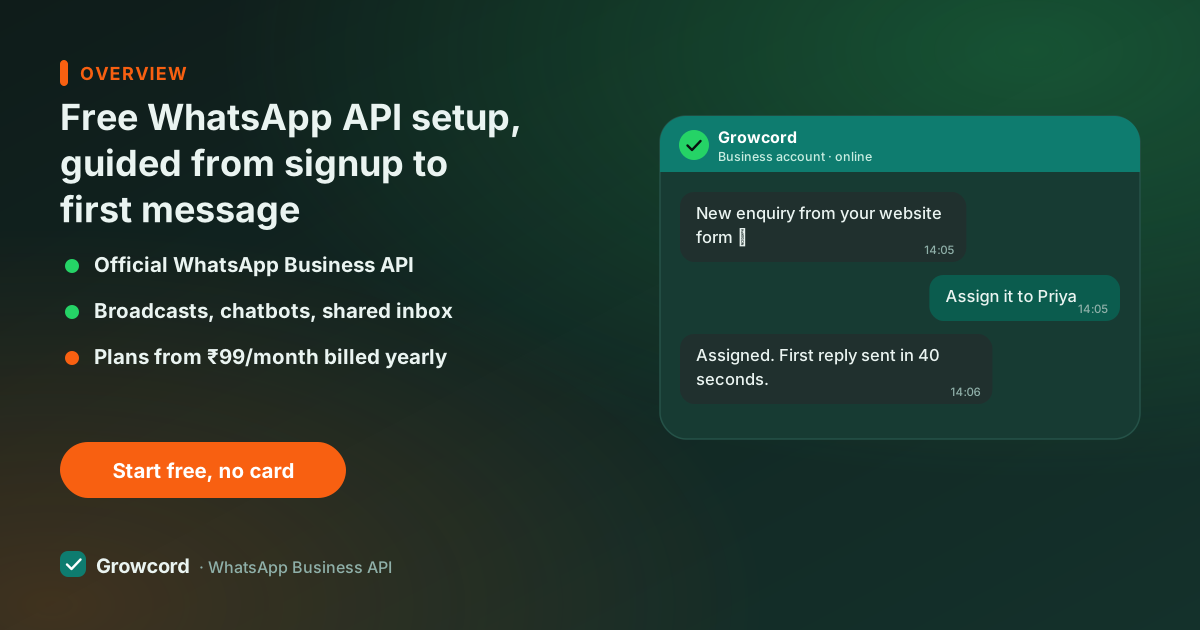
What "free setup" means here, precisely
Setup fees are a habit in this industry, not a necessity. Since Meta introduced embedded signup for the Cloud API, connecting a business's WhatsApp number has been a guided browser flow of about ten minutes. There is no engineering work left to charge a fee for.
So Growcord doesn't: no setup fee, no onboarding charge, no fee for the embedded signup, and no card required to reach the dashboard. If you get stuck at any step, support walks you through it in IST hours at no charge, that's the "guided" part, and it's included on the free tier too.
What stays chargeable, for every provider on earth, because Meta bills it, is the conversation fee once you send template messages: roughly ₹0.78–0.88 for a marketing conversation in India, far less for utility messages like order updates, and nothing at all for replies inside the 24-hour service window.
On Growcord those fees are billed transparently as credits, at cost with zero markup. Anyone advertising a completely free WhatsApp API is either hiding that fee or selling unofficial software that gets numbers banned.
What to have ready before you start
Admin access to a Meta (Facebook) Business Manager, created free at business.facebook.com if you don't have one
A phone number that can receive an SMS or call for verification, and is not currently active on the WhatsApp or WhatsApp Business app
Your legal business name and address, matching what your website or GST registration shows
A working website or business page, Meta checks that the business is real
15–30 minutes; a laptop makes the embedded signup flow easier than a phone
The setup, step by step
Sign up on growcord.in, free
Email and password. You land on the free tier with the dashboard open: no card, no sales call between you and the product.
Connect your number through Meta's embedded signup
A guided popup links your Business Manager, creates the WhatsApp Business account and verifies your number by SMS or call. Ten minutes when documents are in order, and support is on hand if Meta throws a surprise.
Create your first template
Write an order-update or welcome template in the dashboard and submit it to Meta from there. Approval typically takes minutes to a few hours; the status syncs back automatically.
Send a real message
Message your own phone first. Then wire the number to something useful, order alerts from your store, an auto-reply, a small campaign. Signup to first message is routinely under an hour.
What's free, and what isn't
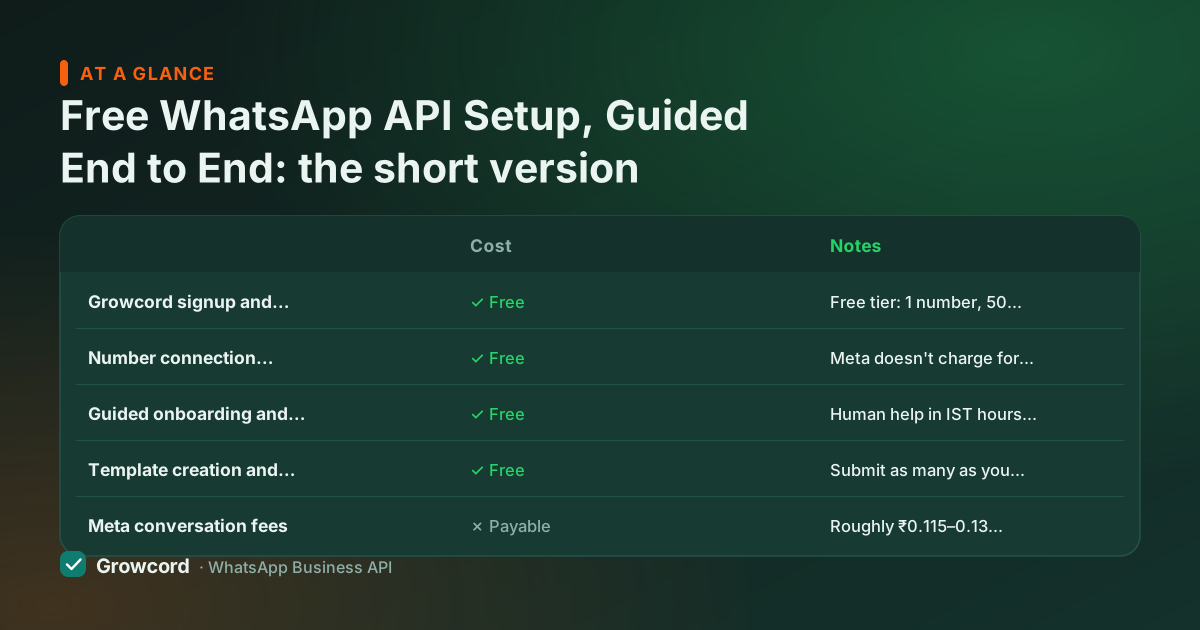
| Cost | Notes | |
|---|---|---|
Growcord signup and dashboard | ✓ Free | Free tier: 1 number, 50 conversations a month, no card |
Number connection (Meta embedded signup) | ✓ Free | Meta doesn't charge for API access itself |
Guided onboarding and support | ✓ Free | Human help in IST hours, plus the docs |
Template creation and approval sync | ✓ Free | Submit as many as you need; Meta approves |
Meta conversation fees | ✗ Payable | Roughly ₹0.115–0.13 utility, ₹0.78–0.88 marketing per conversation; service replies free |
Paid plans, when you outgrow the free tier | ✗ Optional | From ₹299/month, ₹99/month billed yearly |
Growcord charges nothing for setup. Meta's conversation fees exist on every provider. The difference is whether they're passed through transparently.
What can slow the setup down, and how to dodge it
Three snags cause almost all the delays. A number already on WhatsApp: a number can't run the app and the API at the same time, so you either delete the app account first (export your chat history beforehand) or, simpler, go live on a fresh SIM or virtual number and migrate the main number once you've decided. Business Manager friction: a brand-new Business Manager with no history sometimes triggers extra checks from Meta; using the one that already runs your Facebook page avoids that. Verification confusion: full Meta business verification is *not* required to start sending.
It matters later, for higher messaging limits and a green tick application. Don't let a pending verification stall your first message; the longer walkthrough lives in our how to get the WhatsApp API guide.
Do you need a developer for this?
No. The dashboard covers connecting the number, templates, campaigns, auto-replies and store integrations without writing code, the full story is on the API without coding page. If you do have a developer, the REST API, API keys and webhooks are included from the free tier up.
Either way, setup is not where your money should go: judge providers on monthly price and features, not on who waives a fee that shouldn't exist in the first place.
Get set up free, today, not this quarter
Sign up, connect your number through Meta's guided flow, and send your first message on the free tier. Help is included; the only fees are Meta's.
Start free, no card neededWhy Growcord
What you get here that you don't get elsewhere
Frequently asked questions
Is WhatsApp Business API setup really free?
On Growcord, yes: signup, number connection, guided onboarding and template setup all cost nothing, and the free tier, 1 number, 50 conversations a month, needs no card and never expires. What remains payable is Meta's per-conversation fee when you send template messages; no provider can waive it because Meta bills it. Replies to customers inside the 24-hour window are free.
What do I need to set up the WhatsApp API?
Four things: admin access to a Meta (Facebook) Business Manager, a phone number that can receive a verification SMS or call and isn't active on the WhatsApp app, your legal business name and address, and about half an hour. A working website or business page helps Meta confirm the business is real. Full business verification is not required to start sending.
How long does WhatsApp API setup take?
Usually under an hour of actual work: signup takes minutes, Meta's embedded signup about ten, and the first template approval typically lands within minutes to a few hours. Delays come from documents, not technology, a number still on the WhatsApp app, or a brand-new Business Manager Meta wants to re-check. Most businesses send their first message the same day.
Can I use my current WhatsApp number for the API?
Yes, but a number can't run the app and the API simultaneously, moving it means deleting the app account first, so export your chats before you do. Many businesses start on a fresh number, prove the workflow, then migrate the main number deliberately. Normal calls and SMS to the number keep working throughout; only WhatsApp switches over.
Do I need Facebook business verification before starting?
No. You can connect a number and start messaging without full Meta business verification. Verification matters later: it lifts messaging limits beyond the starting tier and is a prerequisite for the green tick (official business account). Start sending first, submit the verification documents in parallel, and nothing in your setup has to wait for it.
Is there a setup fee or a hidden charge later?
No setup fee, and the recurring costs are printed on the pricing page: plans from ₹299/month (₹99/month billed yearly) when you outgrow the free tier, add-ons such as an extra number at ₹299/month or an extra team member at ₹149/month, and Meta's conversation fees billed as credits at cost with zero markup. Every payment through Razorpay comes with a GST invoice.
Why businesses pick Growcord
Official WhatsApp Business API
Built on Meta's Cloud API, the sanctioned channel, not a modded app. No number-ban roulette.
Indian pricing, GST invoice
Plans from ₹99/month billed yearly. Paid in ₹ via Razorpay, with a proper GST invoice every time.
Free tier, no card needed
1 number and 50 conversations a month to prove it on real customers before paying anything.
Support from New Delhi, in IST
A real team on email and WhatsApp, Monday to Saturday 10:00–19:00 IST, not a ticket void.
Talk to us
Get set up on WhatsApp this week
Tell us what you sell and how many customers you message. We'll reply on WhatsApp with the plan that fits and, if you want it, walk you through the Meta approval step.
- No sales call unless you ask for one
- Answers from the team that builds it, in IST hours
- Free tier available. You can start before you decide
Keep reading
Related guides and comparisons
Last updated: 2026-08-07