

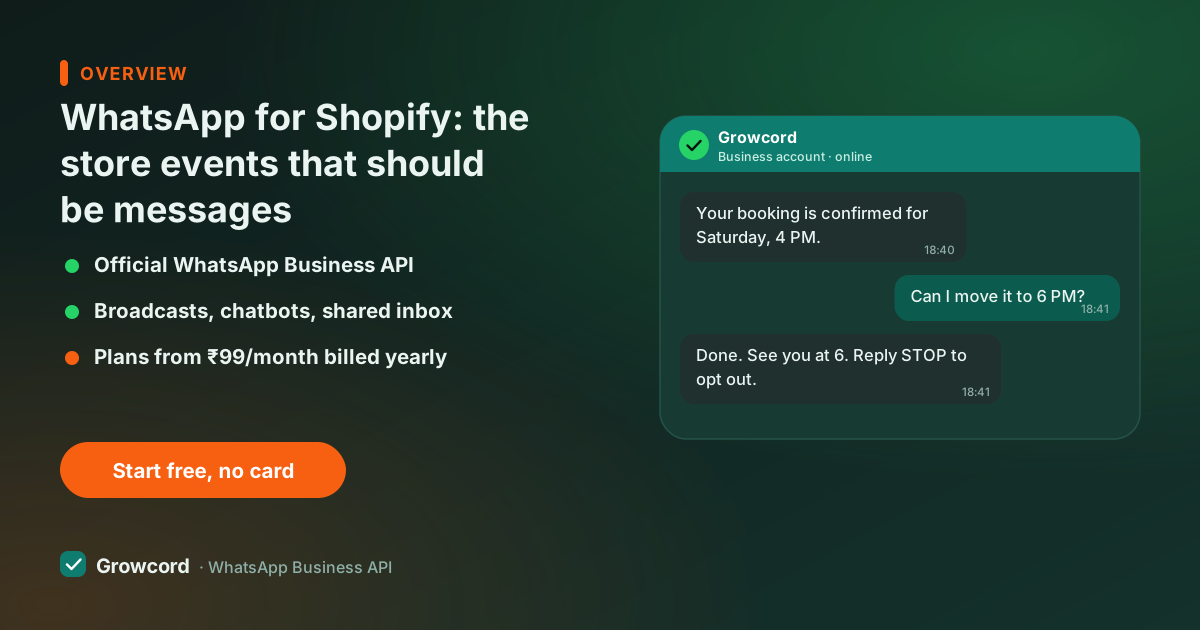
What a Shopify WhatsApp integration actually does
Shopify already knows everything worth messaging a customer about: who abandoned a checkout and what was in it, who just ordered, which order was fulfilled and what the tracking number is. What it doesn't have is a channel Indian customers reliably read. Shopify's built-in notifications go out by email, into the same promotions tab as everyone else's, and a cart reminder that isn't opened recovers nothing.
The integration closes that gap. Growcord listens to your store's events and maps each one to a WhatsApp template: checkout abandoned fires a recovery reminder, order created fires a confirmation (with a Confirm/Cancel step for COD), fulfillment fires a shipping update with the tracking link. Customer details, name, items, amounts, tracking numbers, merge into the message per order.
Because messages go through the official API, this works at any volume without risking the number, and every send shows up in analytics next to what it cost. It's the same plumbing that powers WhatsApp for ecommerce generally, Shopify just makes the hookup one guided setup instead of developer work.
Shopify cart recovery on WhatsApp
Abandoned checkouts are the highest-value event Shopify emits, because the customer already did the hard part, chose the product, entered their phone number, and then stalled. Shopify captures that phone number at checkout, which is exactly what a WhatsApp recovery flow needs.
A sensible flow is one reminder 30–60 minutes after abandonment with the cart contents and a checkout link, and at most one follow-up the next day, perhaps with a small nudge like free shipping. More than that annoys people and invites blocks. Growcord lets you set the delay, the follow-up and the template per store, and the abandoned cart recovery page covers timing and copy in more depth.
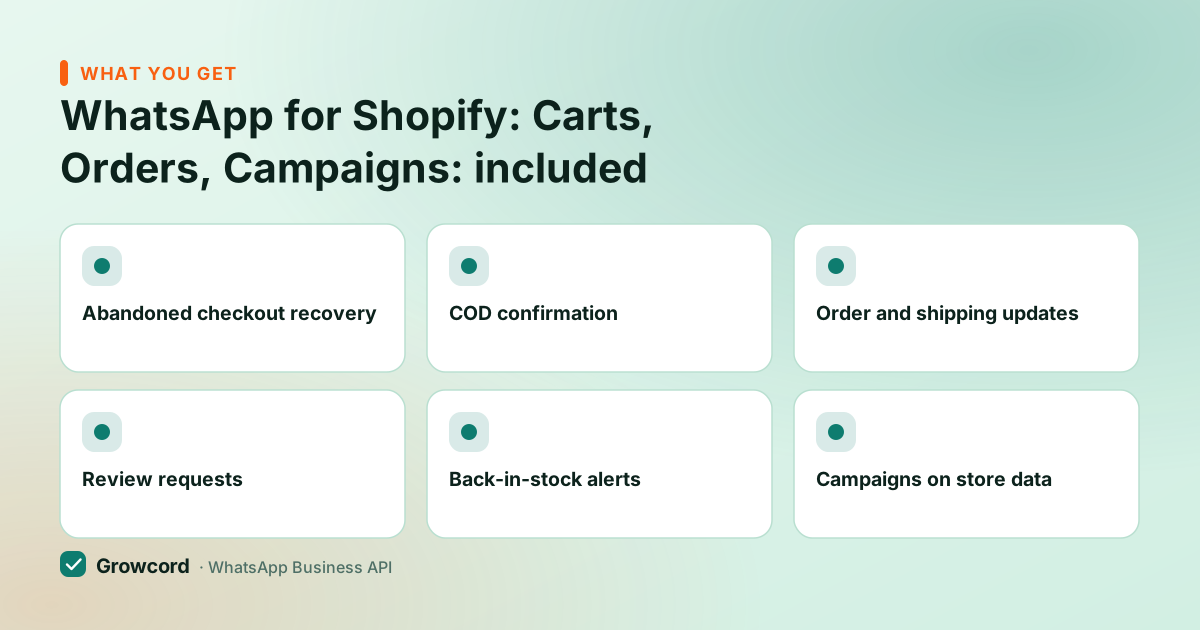
What switches on when Shopify connects
Abandoned checkout recovery
Dropped checkouts trigger a reminder with the exact cart contents and a link that resumes checkout where the customer left off.
COD confirmation
COD orders wait for a one-tap Confirm on WhatsApp before you dispatch, fake and impulse orders cancel themselves instead of becoming RTO.
Order and shipping updates
Order placed, packed, shipped with tracking, delivered, each Shopify status change becomes a message the customer actually sees.
Review requests
A configurable number of days after delivery, an automatic ask with a link to your review page or Google listing.
Back-in-stock alerts
Waitlisted customers hear the moment a sold-out variant is restocked in Shopify, usually your fastest sales of the week.
Campaigns on store data
Segment contacts by what they bought and broadcast launches or festival offers to the buyers each offer fits.
The messages, written out
Checkout recovery. "Hi Sneha, you left 2 items in your bag at Kora Skincare, the vitamin C serum and the SPF 50, ₹1,247 together. Your cart is saved; finish checkout whenever you're ready. Reply STOP to opt out." Button: Complete checkout.
Shipping update. "Good news, Rahul, your Kora Skincare order #2214 shipped today via Delhivery. Track it here anytime. Expected delivery: Thursday." Button: Track my order. This is a utility message, the cheapest category Meta prices, and it quietly removes most where-is-my-order tickets.
Review request. "Hi Sneha, your order arrived on Tuesday, hope the serum's working out! If you have 30 seconds, a review helps a small brand more than you'd think." Button: Leave a review.
Each is a Meta-approved template with merge fields; you edit the wording to your brand's voice inside Growcord and submit for approval from the same screen. Approval usually takes minutes to a few hours.
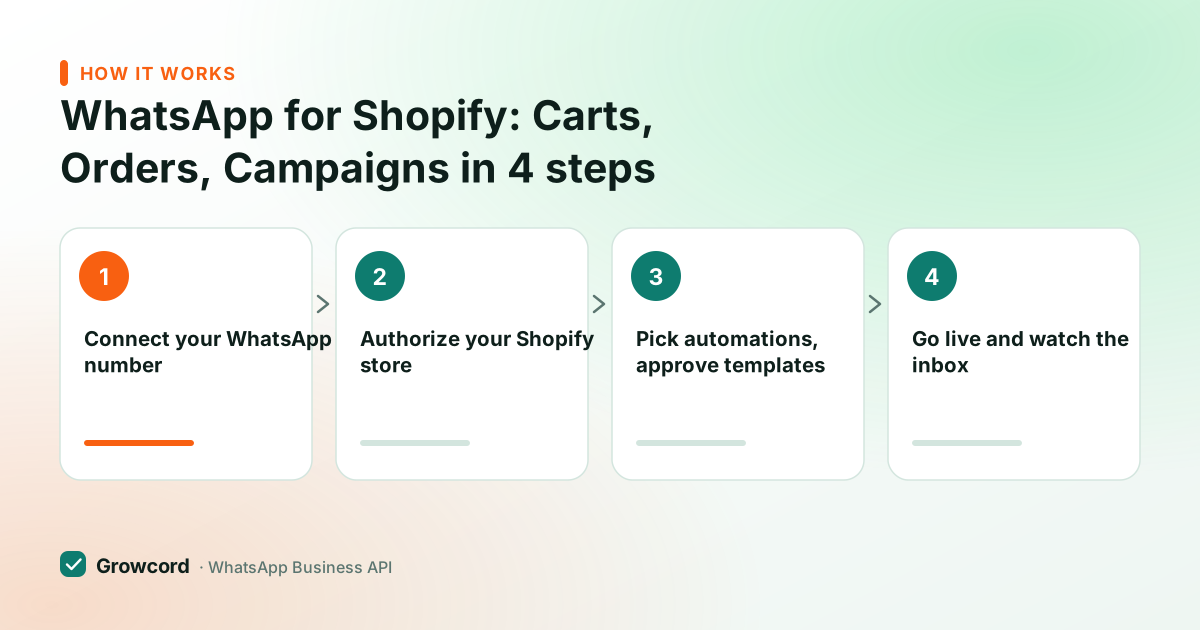
Connecting Shopify to WhatsApp in Growcord
Connect your WhatsApp number
Link a new or existing number to the official API through Growcord's guided signup, most stores finish this the same day.
Authorize your Shopify store
Follow the Shopify integration steps in the dashboard to authorize the connection. Store events start arriving immediately.
Pick automations, approve templates
Toggle on cart recovery, COD confirmation, order updates and review requests; adapt the pre-written templates and submit them to Meta.
Go live and watch the inbox
Messages start flowing on the next store event. Replies land in the team inbox, and per-automation reports show sends, reads and credit cost.
What it costs a Shopify store
Growcord's Commerce plan, the one built for stores, is ₹1,999/month, or ₹999/month billed yearly; smaller stores can start on Basic at ₹299/month (₹99/month yearly). Meta's conversation fees come on top and land as credits at Meta's published rate, Growcord adds no markup and earns on the subscription instead. Utility conversations (order updates, COD confirmations) are priced low in India; marketing conversations run roughly ₹0.78–0.88.
The free tier, one number, 50 conversations a month, is enough to run recovery on live abandoned checkouts for a week and count the recovered orders before entering a card, and paid plans carry a 7-day unconditional money-back guarantee: unused credits stay in your wallet, though conversations Meta has already delivered can't be refunded. Full details on the pricing page.
Compared with buying three or four separate Shopify apps (one for cart recovery, one for a chat widget, one for reviews), a platform approach keeps every conversation on one number and in one inbox, the customer who got a cart reminder yesterday and asks a sizing question today is the same thread, not two tools that don't talk to each other.
Connect your Shopify store today
Free tier includes 50 conversations a month, enough to recover real carts this week before paying anything.
Start free, no card neededWhy Growcord
What you get here that you don't get elsewhere
Frequently asked questions
Does Shopify have a built-in WhatsApp integration?
No. Shopify's native notifications are email (and SMS in some regions); WhatsApp needs a third-party connection to the WhatsApp Business API. Growcord provides that connection, you authorize your store once and Shopify events like abandoned checkout, order created and fulfillment trigger WhatsApp templates automatically.
Can I recover abandoned Shopify checkouts on WhatsApp?
Yes, it's the integration's strongest use case. Shopify collects the customer's phone number at checkout, so when a checkout is abandoned Growcord sends a reminder with the saved cart and a resume-checkout link. You control the delay and whether a follow-up goes out the next day.
Which Shopify events can trigger WhatsApp messages?
The ones stores actually use: checkout abandoned, order created (with a COD confirm step if payment is cash on delivery), order fulfilled with tracking details, order delivered, and restock of a waitlisted product. Each event maps to its own Meta-approved template that you can edit.
Do I need a developer to set this up?
No. The Shopify connection is a guided authorization inside the Growcord dashboard, and templates come pre-written for you to adapt. A developer only enters the picture if you want custom behaviour beyond the standard automations, via the REST API or webhooks.
How much does a Shopify WhatsApp integration cost?
Growcord's Commerce plan is ₹1,999/month (₹999/month billed yearly) and includes the ecommerce automation set; Basic starts at ₹299/month (₹99 yearly). Meta's conversation fees are extra, utility messages like shipping updates are cheap, marketing conversations roughly ₹0.78–0.88 in India. A free tier covers 50 conversations a month.
Will automated store messages get my number banned?
Not through the official API with opted-in customers, that's the channel Meta built for exactly this traffic. Transactional messages about a customer's own order are the safest category there is. What hurts accounts is marketing blasts to people who never opted in; keep consent clean and the quality rating stays green.
Why businesses pick Growcord
Official WhatsApp Business API
Built on Meta's Cloud API, the sanctioned channel, not a modded app. No number-ban roulette.
Indian pricing, GST invoice
Plans from ₹99/month billed yearly. Paid in ₹ via Razorpay, with a proper GST invoice every time.
Free tier, no card needed
1 number and 50 conversations a month to prove it on real customers before paying anything.
Support from New Delhi, in IST
A real team on email and WhatsApp, Monday to Saturday 10:00–19:00 IST, not a ticket void.
Talk to us
Get set up on WhatsApp this week
Tell us what you sell and how many customers you message. We'll reply on WhatsApp with the plan that fits and, if you want it, walk you through the Meta approval step.
- No sales call unless you ask for one
- Answers from the team that builds it, in IST hours
- Free tier available. You can start before you decide
Documentation and official resources
Keep reading
Related guides and comparisons
Last updated: 2026-08-07