

What you actually build against
Sending is the easy half. You authenticate with an API key in a header and POST a JSON body: recipient number, message type, content. Three message shapes cover almost everything:
- Template messages, pre-approved by Meta, the only way to *start* a conversation. You send the template by name with variables ("Hi {{name}}, your order {{id}} shipped").
- Session messages, free-form text, images, documents, interactive buttons and lists, allowed for 24 hours after the customer's last message. The 24-hour window guide explains why your integration must branch on this.
- Media messages, PDFs, images, video, either by URL or from the media gallery.
Design notes that save refactors later: make sends idempotent (customers hate duplicate OTPs), queue outbound messages rather than firing them inline with user requests, and store the message ID every send returns, status webhooks reference it.
Webhooks: the half of the integration people forget
A send-only integration is half an integration. Two kinds of events come back over webhooks: inbound messages (the customer replied, text, button tap, list selection, media) and status updates (sent, delivered, read, failed, per message ID). Failed events are the ones that earn their keep: they're how an OTP flow knows to fall back to SMS, and how your CRM knows a number is dead.
In Growcord you register your endpoint URL in the dashboard and receive JSON events signed so you can verify origin. And because replies also land in the platform's shared inbox, there's a built-in human escape hatch, your code handles the structured flows, and anything weird gets answered by a person instead of a 500.
The developer surface in Growcord
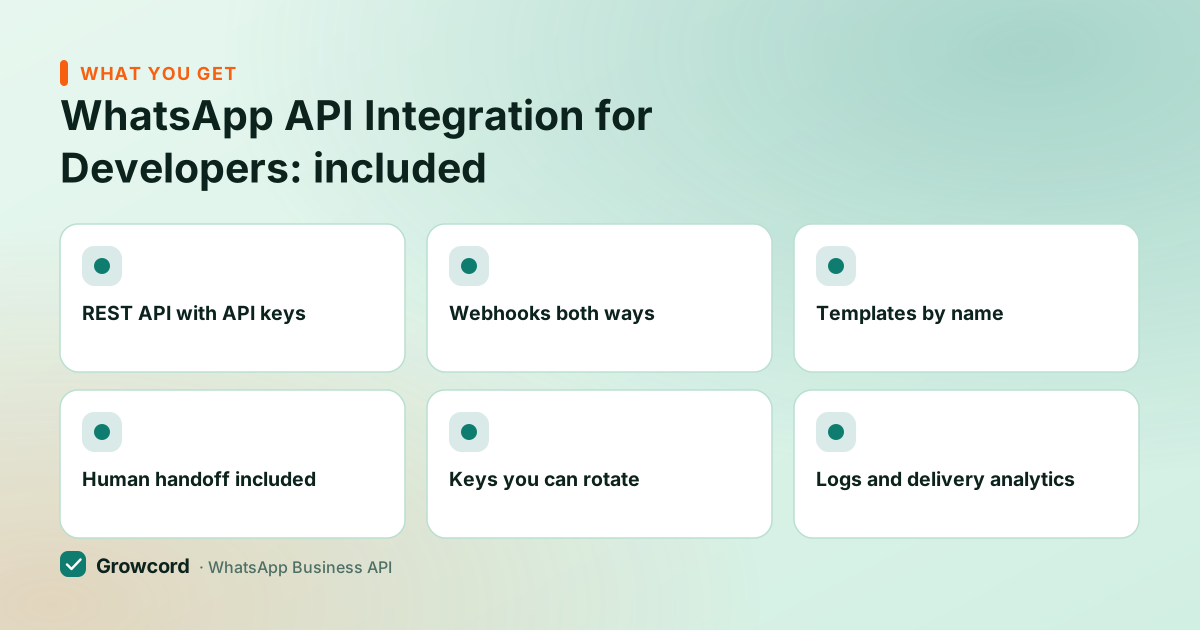
REST API with API keys
Plain HTTPS + JSON, authenticated with revocable, per-system keys. No OAuth dance, no long-lived Meta tokens to babysit.
Webhooks both ways
Inbound messages and per-message status events (sent, delivered, read, failed) pushed to your endpoint.
Templates by name
Create and submit templates in the dashboard, watch approval sync, then send them from code by name with variables.
Human handoff included
Every conversation your code touches is also visible in the team inbox, support can step into a thread your bot started.
Keys you can rotate
Scoped keys per service; revoke the staging key without touching production. Basic includes 1 key, Startup 3, Commerce 10.
Logs and delivery analytics
See per-message status and template performance in the dashboard while debugging, instead of tailing Meta's raw callbacks.
First message to production
Connect a number on the free tier
Sign up and connect a WhatsApp number through the guided flow, the free tier's 50 conversations a month are plenty for development.
Create an API key
Generate a key in the dashboard and drop it in your environment. Auth is a single header on every request.
Send a template message
POST to the messages endpoint with the recipient, template name and variables. The response returns a message ID you'll see again in status events.
Register your webhook
Point the webhook at your endpoint, verify the signature, and handle inbound messages and statuses. From here it's your product logic.
Direct Meta Cloud API vs Growcord, honestly
| Meta Cloud API direct | Growcord | |
|---|---|---|
Setup | Meta developer app, business verification, system user, permanent token | ✓ Sign up, connect number, create key |
Auth | Long-lived access tokens you rotate and secure yourself | ✓ Revocable API keys per system |
Templates | Graph API calls or Meta's UI, approval polled yourself | ✓ Dashboard editor with approval sync, sent by name |
Inbox for humans | ✗ Build your own on the webhook stream | ✓ Shared team inbox included |
Campaigns, bots, automations | ✗ All custom code | ✓ Built in alongside the API |
Platform cost | Free (Meta conversation fees only) | From ₹99/mo billed yearly + Meta fees at cost |
Going direct to Meta is legitimate and free at the platform level, this table is the actual trade. Checked August 2026.
What API access costs
API access is included from the Basic plan, ₹299/month, or ₹99/month billed yearly, with one API key and 200 included conversations. Startup (₹799/month, ₹399 yearly) raises that to three keys and 1,000 conversations; Commerce to ten keys; Enterprise removes the cap.
Meta's conversation fees are billed as credits at Meta's published rate with zero markup, and the conversation pricing guide explains the categories your messages will fall into. The full plan table, and the 7-day money-back guarantee on subscriptions, is on the pricing page.
The comparison worth making isn't price, it's what you'd build. Going direct to Meta costs no platform fee but leaves you writing token rotation, a template pipeline, an inbox, and delivery bookkeeping before the first product feature ships.
If your team wants those problems, direct is a fine choice; the Cloud API vs BSP guide maps that decision. Also worth knowing before launch: Meta assigns every number a messaging limit tier that grows with sending quality, plan your ramp-up around it.
Send your first API message today
Free tier: 1 number, 50 conversations a month, real API access. Prototype against production infrastructure before paying anything.
Start free, no card neededWhy Growcord
What you get here that you don't get elsewhere
Frequently asked questions
Can I use the WhatsApp API for free?
Meta's Cloud API has no platform fee if you integrate directly, you pay only per-conversation fees, but you build auth, templates, webhooks and any UI yourself. Growcord's free tier gives you 1 number and 50 conversations a month with real API access to prototype on; paid plans start at ₹99/month billed yearly.
How do I send a WhatsApp message with a REST API?
One authenticated POST: API key in the header, JSON body with the recipient's number, the message type, and the content, a template name with variables to start a conversation, or free-form text and media inside the 24-hour window after a customer replies. The response includes a message ID that later status webhooks reference.
Does the WhatsApp API have webhooks?
Yes, and a serious integration depends on them. You receive inbound messages (text, button taps, list selections, media) and per-message status events, sent, delivered, read, failed. In Growcord you register your HTTPS endpoint in the dashboard and verify event signatures; failed events are what trigger fallbacks like SMS for OTPs.
Which programming languages can I use?
Any language with an HTTPS client. The API is plain REST with JSON, so Node, Python, PHP, Go, Java, or a shell script with curl all work the same way. There's no required SDK; the docs show request and response shapes you can port to whatever your backend already runs.
Why use a platform instead of Meta's Cloud API directly?
To skip building undifferentiated plumbing. Direct integration means a Meta developer app, permanent-token management, a template submission pipeline, and your own inbox and delivery bookkeeping. A platform hands you API keys, a template dashboard with approval sync, webhooks, and a team inbox, while still running on Meta's official infrastructure underneath.
What are the API's rate and messaging limits?
Meta assigns each number a messaging tier: new numbers can start business-initiated conversations with 1,000 unique customers per 24 hours, growing to 10,000, 100,000 and beyond automatically as you send with good quality. Replies inside open conversations don't consume the tier. Plan launches around the ramp, not around day-one volume.
Why businesses pick Growcord
Official WhatsApp Business API
Built on Meta's Cloud API, the sanctioned channel, not a modded app. No number-ban roulette.
Indian pricing, GST invoice
Plans from ₹99/month billed yearly. Paid in ₹ via Razorpay, with a proper GST invoice every time.
Free tier, no card needed
1 number and 50 conversations a month to prove it on real customers before paying anything.
Support from New Delhi, in IST
A real team on email and WhatsApp, Monday to Saturday 10:00–19:00 IST, not a ticket void.
Talk to us
Get set up on WhatsApp this week
Tell us what you sell and how many customers you message. We'll reply on WhatsApp with the plan that fits and, if you want it, walk you through the Meta approval step.
- No sales call unless you ask for one
- Answers from the team that builds it, in IST hours
- Free tier available. You can start before you decide
Documentation and official resources
Keep reading
Related guides and comparisons
Last updated: 2026-08-07