

What's actually inside the QR code
A WhatsApp QR code is a wa.me click-to-chat link wearing a printable coat. The generator takes your number, international format, so 91 plus the ten digits for India, builds the link https://wa.me/919876543210, appends your pre-filled message if you set one, and encodes the whole URL as a QR code. Any modern phone camera reads it natively: the person scans, taps the prompt, and lands in a WhatsApp chat with you.
Because the code is just a link, it works for every kind of WhatsApp number, personal, the free Business app, or a number on the WhatsApp Business API.
And because nothing is registered on any server, the code keeps working for as long as your number does. If what you need is the link itself, for bios, ads and invoices rather than print, the WhatsApp link generator makes the same thing without the pixels.
From number to printed code
Enter your number and message
Country code first (91 for India), no plus sign. The pre-filled message is optional but worth setting 'Hi, I scanned the code at your shop' tells you exactly where every chat came from.
Generate and test-scan
Point your own phone at the screen before you print anything. The chat that opens for you is the chat every customer will get.
Download the PNG
You get a 260-pixel PNG, about 2 cm across printed at 300 dpi, which is the right size for a counter card, a visiting card or a menu.
For anything poster-sized, send the link
Give your printer the wa.me link itself and let them set the code as vector artwork. Blowing a 260-pixel image up to 30 cm is how codes stop scanning.
Where the code actually gets scanned
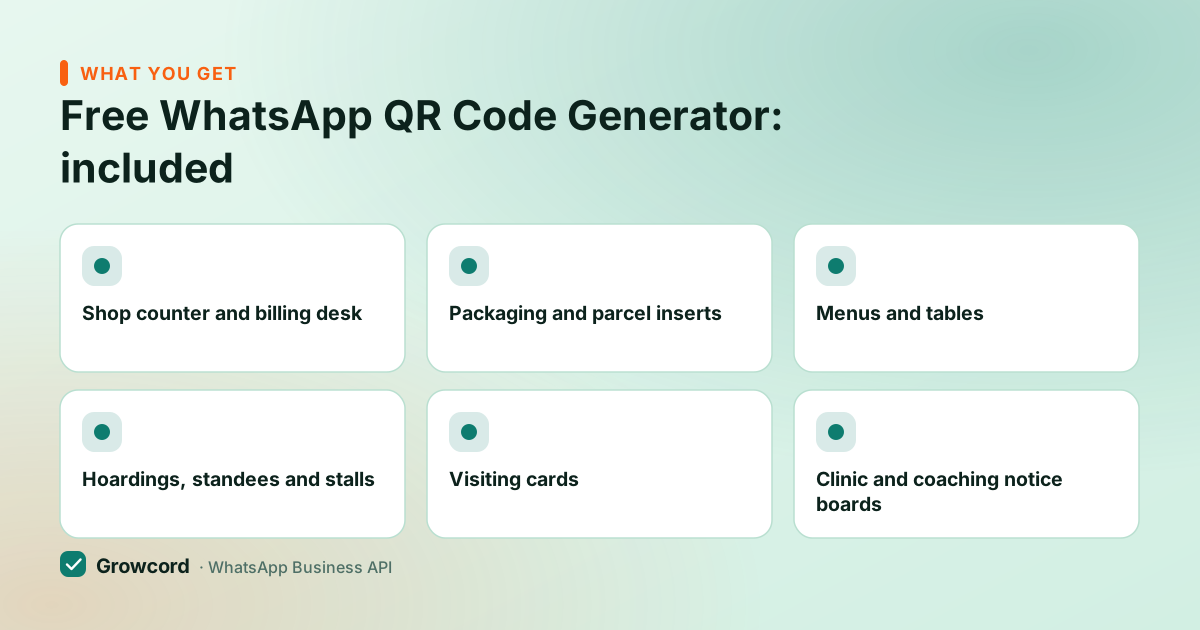
Shop counter and billing desk
A standee by the till turns walk-in customers into contacts you can reach after they leave, the kirana move that quietly builds a reachable list.
Packaging and parcel inserts
A 'problem with your order? Scan and tell us' card beats a support email address nobody writes to.
Menus and tables
Restaurants put the code on tables and takeaway menus for orders, feedback and repeat-offer opt-ins.
Hoardings, standees and stalls
At exhibition distance a QR code works where a typed number never will. Print big and test from walking distance.
Visiting cards
One scan replaces typing your number and misdialing it. Keep the printed number alongside for the sceptics.
Clinic and coaching notice boards
Parents and patients scan to ask about timings, fees and reports instead of calling during your busiest hour.
Printing tips so it scans first time
- Size. Two centimetres square is the floor for an arm's-length scan, and the download is cut for exactly that. For distance, divide the scanning distance by ten, a standee read from 3 metres wants about 30 cm.
- Contrast. The code comes out dark green on white because that is what a cheap camera under a tube light can read. Don't recolour it to match your brand, and never reverse it to light-on-dark.
- Quiet zone. The download already leaves clear space around the code. Don't crop it, and don't let a logo, a price sticker or a design border sit on the edge.
- Don't distort. Scale proportionally, never stretch to fill a space. A squashed code is a dead code.
- Test the print, not the screen. Scan the actual printout, in its actual spot, with a mid-range phone. Screens are forgiving; glare off a laminated card is not.
After the scan: make the first minute count
A scan starts a customer-initiated chat, which is the cheap kind, your replies inside the 24-hour window carry no Meta conversation fee. It is also the cleanest consent moment you get: someone who scanned the code on your counter and messaged first is exactly the person you may message again in October about the Diwali offer, provided you recorded it. The opt-in guide covers what that record has to contain.
What ruins the moment is silence. Codes on parcels and hoardings pull scans at 11pm and on Sundays, so an auto-reply should make the first response instant and a shared inbox should make sure a person picks it up when the shop opens.
Run codes across three branches and you'll want a tag per branch so you can tell which standee is working, the WhatsApp for retail page walks that path. Growcord's free tier (1 number, 50 conversations a month) is enough to put a proper receiving end behind the code; the Basic plan is ₹299/month, or ₹99/month billed yearly, once the scans outgrow it.
Print the code this week
Generate it free above, stick it by the till, and let Growcord's free tier answer the first scans, 1 number, 50 conversations a month.
Start free, no card neededWhy Growcord
What you get here that you don't get elsewhere
Frequently asked questions
How do I create a QR code for my WhatsApp number?
Enter your number with the country code in the generator above, add an optional pre-filled message, and download the code it produces. Technically the QR encodes a wa.me click-to-chat link for your number, so scanning it opens a WhatsApp chat with you. The whole process takes under a minute and needs no account anywhere.
Is this WhatsApp QR code generator free?
Yes, free, no signup, no watermark, no limit on how many codes you make. There's no subscription behind a WhatsApp QR code because it encodes an open link format (wa.me) that WhatsApp itself operates. Generate a separate code per branch or campaign, each with its own pre-filled message, if you want to tell the chats apart.
Does a WhatsApp QR code expire?
No. The code encodes a link to your number, so it works for as long as that number is active on WhatsApp, years, if need be. It stops working only if you change numbers or leave WhatsApp, in which case you reprint. Time-limited offers belong in the pre-filled message or the poster copy, not in the code itself.
What size should I print a WhatsApp QR code?
At least 2 × 2 cm for close-range placements like counters and visiting cards, the PNG here is 260 pixels, which lands at about that size at 300 dpi. For distance, divide the scanning distance by ten: a standee read from 3 metres needs roughly 30 cm, and your printer should build that from the wa.me link rather than scale up the download. Test the real printout before the full run.
Can the QR code open with a message already typed?
Yes. Add a pre-filled message in the generator and every scan opens the chat with that text sitting behind the send button 'Hi, I scanned the code at your Indiranagar store.' It lowers the effort for the customer to one tap, and it tells you which placement produced the chat without any tracking software.
What happens when someone scans my WhatsApp QR code?
Their camera shows a prompt, tapping it opens WhatsApp in a chat with your number, and the pre-filled message, if you set one, waits ready to send. Nothing is sent until they press send. On your side it arrives as an ordinary incoming chat: free to answer within the 24-hour window, and a good moment to capture an opt-in.
Why businesses pick Growcord
Official WhatsApp Business API
Built on Meta's Cloud API, the sanctioned channel, not a modded app. No number-ban roulette.
Indian pricing, GST invoice
Plans from ₹99/month billed yearly. Paid in ₹ via Razorpay, with a proper GST invoice every time.
Free tier, no card needed
1 number and 50 conversations a month to prove it on real customers before paying anything.
Support from New Delhi, in IST
A real team on email and WhatsApp, Monday to Saturday 10:00–19:00 IST, not a ticket void.
Talk to us
Get set up on WhatsApp this week
Tell us what you sell and how many customers you message. We'll reply on WhatsApp with the plan that fits and, if you want it, walk you through the Meta approval step.
- No sales call unless you ask for one
- Answers from the team that builds it, in IST hours
- Free tier available. You can start before you decide
Keep reading
Related guides and comparisons
Last updated: 2026-08-07