

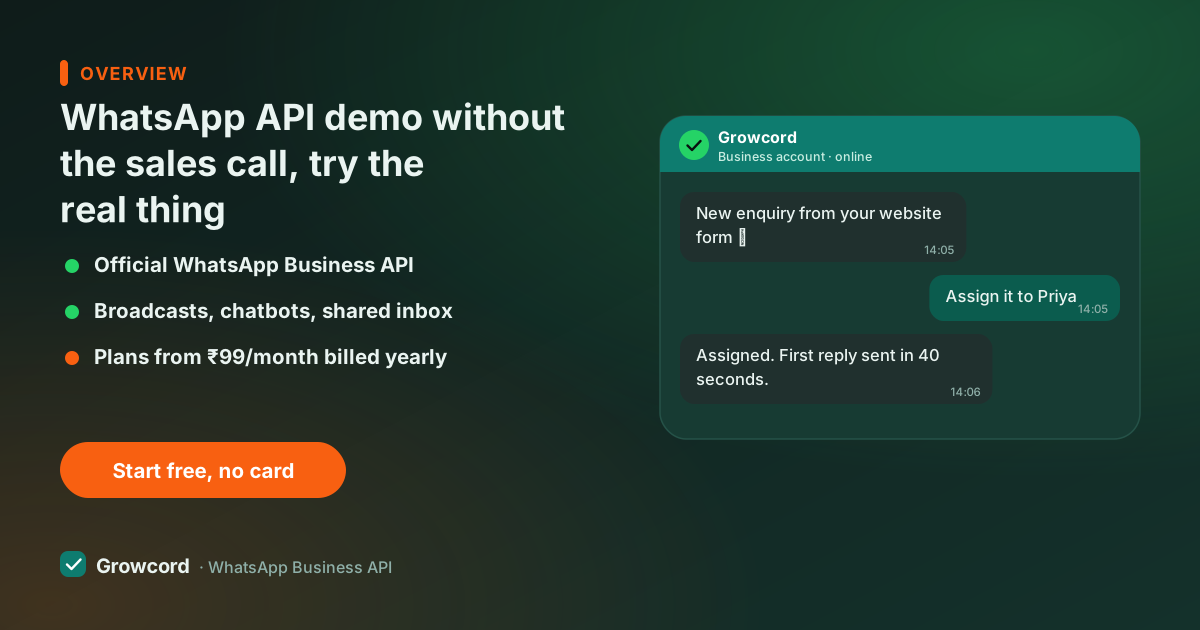
Why the demo here is self-serve first
A scheduled sales demo shows you a rehearsed environment: pre-approved templates, seeded conversations, the happy path. It cannot show you the things that actually decide whether a platform fits, how Meta's number connection behaves with *your* Business Manager, how long *your* first template takes to approve, what the inbox feels like with your own messages in it.
A free tier on the real API shows all of that, because nothing is simulated: real number, real deliveries, real webhooks, and real conversation billing visible in the credits screen.
So the demo path is inverted here. Try the product first, the fifteen-minute script below, and book the human walkthrough when you have the questions the product raised: migration from another provider, team rollout, volume pricing. Fifteen minutes of clicking answers most of what an hour of screen-share would, and it answers it about your business rather than a sample one.
Your first 15 minutes, scripted
Minutes 0–2: sign up
growcord.in, email and password, free tier. No card and no qualification call, you're in the dashboard.
Minutes 2–10: connect a number
Meta's embedded signup links your Business Manager and verifies a number, a spare SIM or virtual number is fine for testing. This is the step no sales demo can show honestly, because it depends on your accounts, not theirs.
Minutes 10–13: message yourself
Send a template message to your own phone. Reply from the phone and watch the reply land in the shared inbox in real time, that round trip is the product.
Minutes 13–15: make something automatic
Set a keyword auto-reply, PRICE returns your price list, or open the flow builder and connect two nodes. That's the automation layer in miniature.
What to poke at once you're in
Campaigns
Create (don't send) a broadcast: see scheduling, segment targeting and the credit-cost estimate that appears before you confirm anything.
Flow builder
Trace a menu → answer → human-handover flow on the no-code canvas. Judge whether your team could edit it without you.
Shared inbox
Your test replies land here. Check assignment, private notes, and how a second teammate would see the same chat.
Store automations
Connect Shopify or WooCommerce, or fire a test webhook, and watch an order alert go out to your phone.
API and webhooks
Generate an API key, send one message over REST, and check the webhook deliveries, ten minutes for a developer to form an opinion.
Credits and billing
Open the billing screen and see how Meta's conversation fees pass through as credits. Compare it with the pricing page, they match.
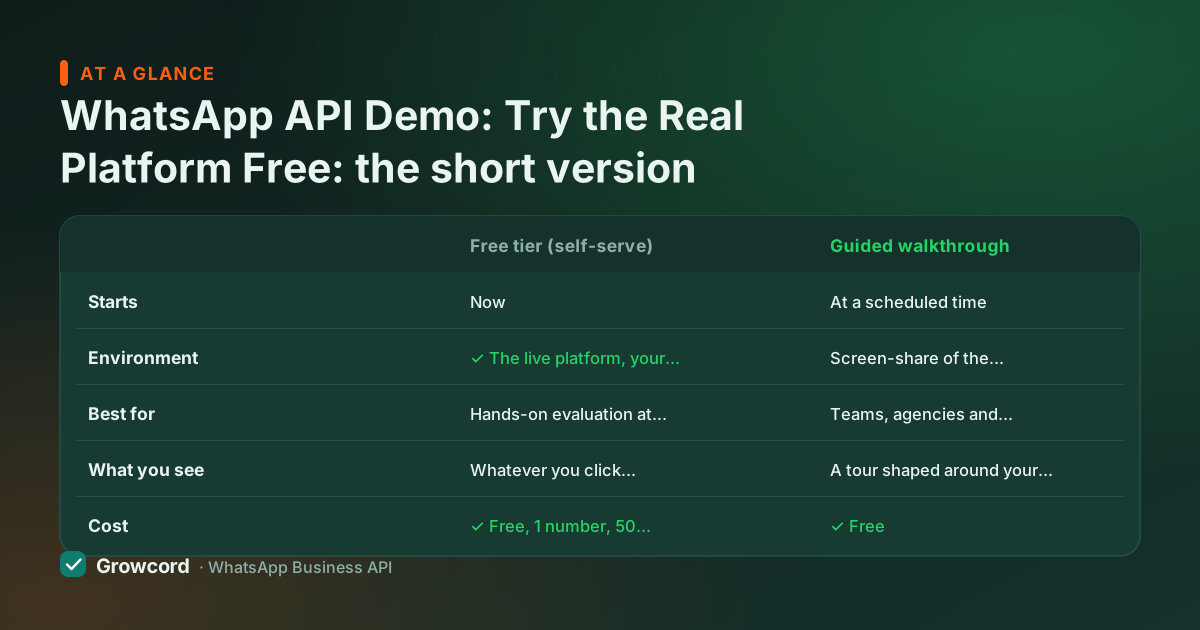
Self-serve demo vs guided walkthrough
| Free tier (self-serve) | Guided walkthrough | |
|---|---|---|
Starts | Now | At a scheduled time |
Environment | ✓ The live platform, your number | Screen-share of the platform |
Best for | Hands-on evaluation at your own pace | Teams, agencies and migrations with specific questions |
What you see | Whatever you click, nothing curated | A tour shaped around your use case |
Cost | ✓ Free, 1 number, 50 conversations/month | ✓ Free |
How to start | Sign up at growcord.in | [email protected] or +91 88003 17861 |
Both are free. Most teams do the self-serve run first and bring their questions to the call.
When the guided walkthrough is the better first step
Some situations genuinely warrant a human first:
- You're migrating numbers, templates and history from another provider and want the sequence right
- You're an agency evaluating for several clients at once
- You need pricing beyond the listed plans
- Or procurement wants a Q&A before anyone touches a trial. Write to [email protected] or call +91 88003 17861 (IST hours) with a line about your use case and monthly volumes, and the walkthrough gets shaped around that instead of a generic deck
Come with your sharpest questions. How does the 24-hour window change your support flow? What does a month realistically cost at your volume, the pricing page publishes every number, so the call can be about your maths rather than a rate card reveal.
What happens to your contacts and history if you leave? A platform demo should survive those questions; this one is built to, and the free setup guide covers everything the walkthrough would, in writing.
Start your own demo now
Free tier: 1 number, 50 conversations a month, no card and no countdown. Guided walkthrough any time at [email protected] or +91 88003 17861.
Start free, no card neededWhy Growcord
What you get here that you don't get elsewhere
Frequently asked questions
Can I see a demo of the WhatsApp Business API?
Yes, two ways on Growcord. Self-serve: the free tier is the live platform (1 number, 50 conversations a month, no card), so you can demo it to yourself in about fifteen minutes. Guided: email [email protected] or call +91 88003 17861 for a walkthrough shaped around your use case. Most people do the self-serve run first and bring questions to the call.
Do I have to book a call before trying the platform?
No. Signup is open, there's no qualification call and no 'book a demo to get access' gate in front of the product. You reach the dashboard in minutes and can connect a number in the same sitting. The call exists for people who want one, not as a wall the product hides behind.
Is the WhatsApp API demo free?
Both formats are free. The self-serve route is the permanent free tier, 1 number and 50 conversations that reset every month, not a seven-day countdown. The only money that can enter the picture is Meta's per-conversation fee if you send template messages, typically a few rupees across an entire evaluation. Guided walkthroughs cost nothing either.
What should I test during a WhatsApp API demo?
The things that differ between providers: how smoothly your number connects, how fast your template gets approved, whether the inbox and bot builder are usable by your actual team, whether store integrations fire real order alerts, and whether billing is legible. You should be able to predict a campaign's cost before sending it. The fifteen-minute script above covers each one.
Can I run the demo with my existing WhatsApp number?
You can, but don't. A number can't be on the WhatsApp app and the API at the same time, so moving your main number mid-evaluation is premature. Test on a spare SIM or virtual number, prove the workflow, then migrate the real number once you've decided. Everything you build during the demo, templates, flows, contacts, carries over.
Why businesses pick Growcord
Official WhatsApp Business API
Built on Meta's Cloud API, the sanctioned channel, not a modded app. No number-ban roulette.
Indian pricing, GST invoice
Plans from ₹99/month billed yearly. Paid in ₹ via Razorpay, with a proper GST invoice every time.
Free tier, no card needed
1 number and 50 conversations a month to prove it on real customers before paying anything.
Support from New Delhi, in IST
A real team on email and WhatsApp, Monday to Saturday 10:00–19:00 IST, not a ticket void.
Talk to us
Get set up on WhatsApp this week
Tell us what you sell and how many customers you message. We'll reply on WhatsApp with the plan that fits and, if you want it, walk you through the Meta approval step.
- No sales call unless you ask for one
- Answers from the team that builds it, in IST hours
- Free tier available. You can start before you decide
Keep reading
Related guides and comparisons
Last updated: 2026-08-07