

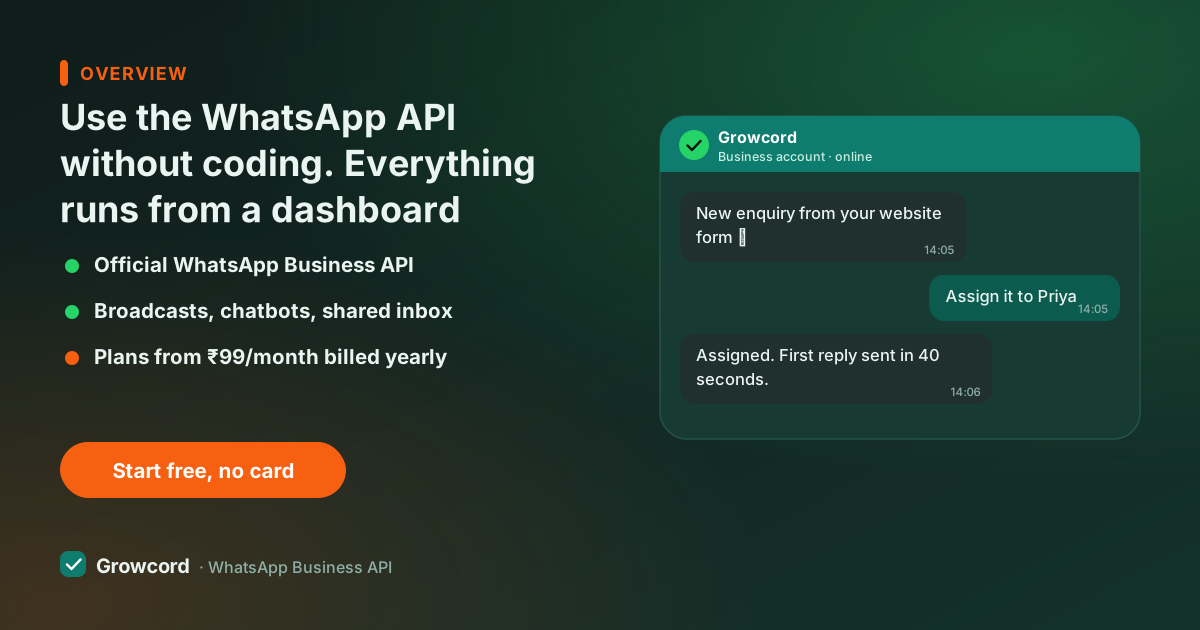
"API" sounds technical. Here's what it actually means for you
The WhatsApp Business API is Meta's official channel for businesses to message at scale, it's what removes the Business app's limits (256-contact broadcast lists, no real automation, no reports). Meta ships it as raw infrastructure: webhooks, access tokens, JSON payloads. Used directly, it genuinely does need a developer, a server, and ongoing maintenance.
But almost no small business uses it directly, the same way almost nobody sends email marketing by writing SMTP code. A platform does the technical layer once, for everyone, and gives you screens instead. In Growcord, "sending a broadcast" is picking a template, ticking a segment and choosing a time. The API is still underneath, official, sanctioned, ban-safe, you just never see it.
What you can run without writing a single line
Everything the platform does is no-code by default: broadcast campaigns with scheduling, auto-replies, chatbot flows built by connecting blocks on a canvas, a shared team inbox, contact tags and segments, sales pipelines, template creation with Meta approval tracked inside the dashboard, and analytics per campaign.
Store connections are no-code too, Shopify and WooCommerce link through guided steps, and Zapier covers hundreds of other apps without code. The one thing that stays optional is the developer API: it's there if you ever hire someone technical, invisible if you don't.
The no-code toolkit, screen by screen
Guided number connect
A step-by-step flow links your WhatsApp number to Meta's Cloud API from inside Growcord, no developer account wrangling.
Template builder
Write the message, drop in merge fields and buttons, submit to Meta with one click. Approval status syncs back automatically.
Campaign scheduler
Pick a segment, pick a time, review the estimated credit cost, confirm. The send happens without anyone logged in.
Drag-and-drop bot flows
Build 'reply PRICE for the rate list' logic by connecting blocks, questions, buttons, conditions, on a visual canvas.
Shared team inbox
Replies land in one inbox your whole team works from. Assign chats, add notes, hand off to a bot, all clicks.
No-code integrations
Shopify and WooCommerce connect natively; Zapier bridges CRMs, lead forms and sheets without touching code.
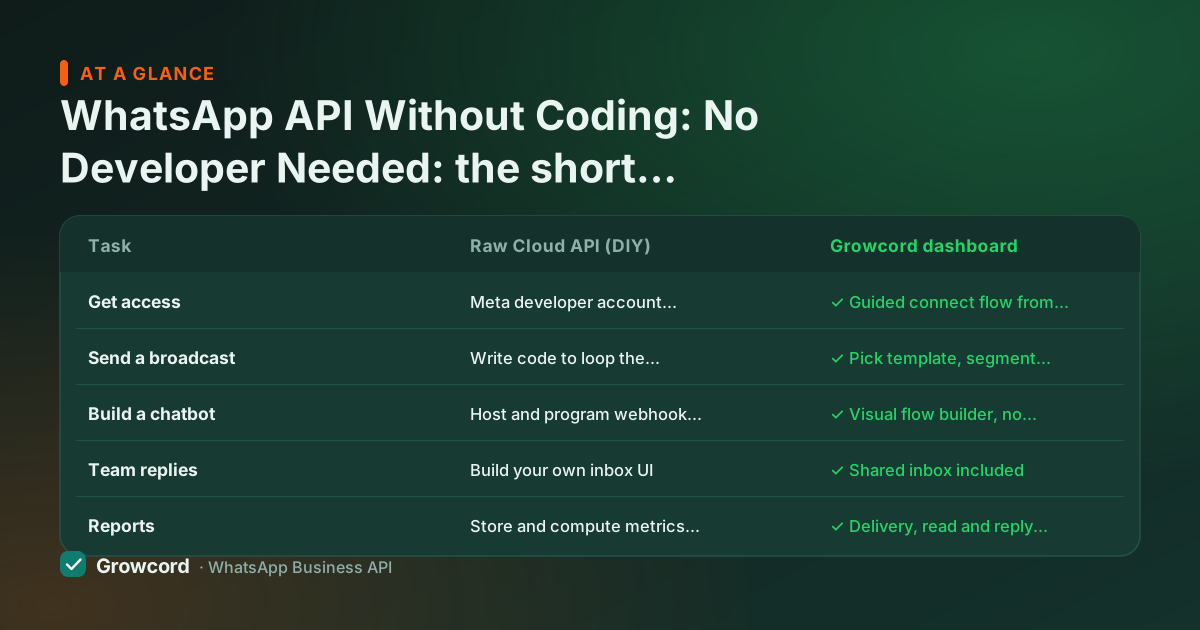
Raw Cloud API vs a no-code dashboard, task by task
| Task | Raw Cloud API (DIY) | Growcord dashboard |
|---|---|---|
Get access | Meta developer account, app setup, tokens, webhook server | ✓ Guided connect flow from the dashboard |
Send a broadcast | Write code to loop the send API over your list | ✓ Pick template, segment, time, click send |
Build a chatbot | Host and program webhook logic yourself | ✓ Visual flow builder, no code |
Team replies | Build your own inbox UI | ✓ Shared inbox included |
Reports | Store and compute metrics yourself | ✓ Delivery, read and reply counts per campaign |
Ongoing maintenance | Token renewals, API version upgrades, on you | ✓ Handled by the platform |
Left column is what building directly on Meta's Cloud API involves; right is the same task in Growcord. Checked August 2026.
No-code setup, start to first message
Sign up free
The free tier, 1 number, 50 conversations a month, needs no card and no technical details.
Connect your number
Follow the guided flow to link a number through Meta's embedded signup. You'll need a Meta Business account; the wizard walks you through creating one if you don't.
Create and submit a template
Write your first message in the template builder and submit it to Meta from the same screen. Approval usually takes minutes to a few hours.
Send it and watch the report
Choose contacts, schedule or send now, and see delivered and read counts fill in. Total code written: zero.
When you do want the code option later
No-code isn't a ceiling. Every Growcord account also carries a REST API, API keys and webhooks, so the day you hire a developer or want your billing software to fire WhatsApp messages on its own, the technical door is already open.
Plenty of businesses run this way: the owner builds campaigns and bots in the dashboard, while a freelancer wires order events from a custom system through a webhook. You're never forced to choose a "business platform" or a "developer platform"; it's the same account.
What it costs
The dashboard, bot builder, inbox and integrations are part of every plan, from ₹299/month, or ₹99/month billed yearly. Meta's per-conversation fees are billed as credits with the rate shown before each send; the pricing page has worked examples. If setup help matters to you, onboarding is guided and support works Indian hours, and the free trial means you can test the whole no-code claim on your own number before paying.
Set up the WhatsApp API today, without a developer
Free tier: 1 number, 50 conversations a month. If you can use email software, you can run this.
Start free, no card neededWhy Growcord
What you get here that you don't get elsewhere
Frequently asked questions
Can I use the WhatsApp API without a developer?
Yes. Platforms like Growcord run the API behind a dashboard: connecting your number is a guided flow, templates are built in a form, campaigns are point-and-click, and chatbots are drawn on a visual canvas. A developer only becomes useful if you later want custom integrations through the REST API, and even then, Zapier covers many cases without code.
Do I need a website or a server to use the WhatsApp API?
No. The old requirement for your own server applies only to businesses using Meta's Cloud API directly. With Growcord, the platform hosts everything, you just need a phone number for WhatsApp and a Meta Business account, which the setup wizard helps you create. A website is optional.
How long does no-code WhatsApp API setup take?
The platform side takes minutes: sign up, follow the guided connect flow, and submit your first template. The only wait is Meta's template approval, which usually clears in minutes to a few hours. Full business verification is not required before you start sending. It matters later, for higher messaging tiers and the green tick, so most businesses send their first API message the same day.
How is this different from the WhatsApp Business app?
The app is genuinely no-code but hits hard limits: 256-contact broadcast lists that only reach people who saved your number, minimal automation and no reports. The API through a dashboard keeps the no-code experience while removing those limits, unlimited opted-in reach, scheduled campaigns, real chatbots, a team inbox and per-campaign analytics. See the app vs API comparison.
Can I build a WhatsApp chatbot without coding?
Yes. Growcord's flow builder is visual: you connect blocks for messages, buttons, questions and conditions, then attach the flow to keywords or campaign replies. Typical uses, price lists, order status, FAQs, lead qualification, need no code at all. The no-code chatbot builder page shows how flows are put together.
What if I want to connect my own software later?
The technical option is already in your account: a REST API with API keys and webhooks, documented for developers. Start no-code today, and when your ERP, clinic software or custom store needs to trigger messages automatically, a developer plugs into the same account, nothing to migrate.
Why businesses pick Growcord
Official WhatsApp Business API
Built on Meta's Cloud API, the sanctioned channel, not a modded app. No number-ban roulette.
Indian pricing, GST invoice
Plans from ₹99/month billed yearly. Paid in ₹ via Razorpay, with a proper GST invoice every time.
Free tier, no card needed
1 number and 50 conversations a month to prove it on real customers before paying anything.
Support from New Delhi, in IST
A real team on email and WhatsApp, Monday to Saturday 10:00–19:00 IST, not a ticket void.
Talk to us
Get set up on WhatsApp this week
Tell us what you sell and how many customers you message. We'll reply on WhatsApp with the plan that fits and, if you want it, walk you through the Meta approval step.
- No sales call unless you ask for one
- Answers from the team that builds it, in IST hours
- Free tier available. You can start before you decide
Keep reading
Related guides and comparisons
Last updated: 2026-08-07