

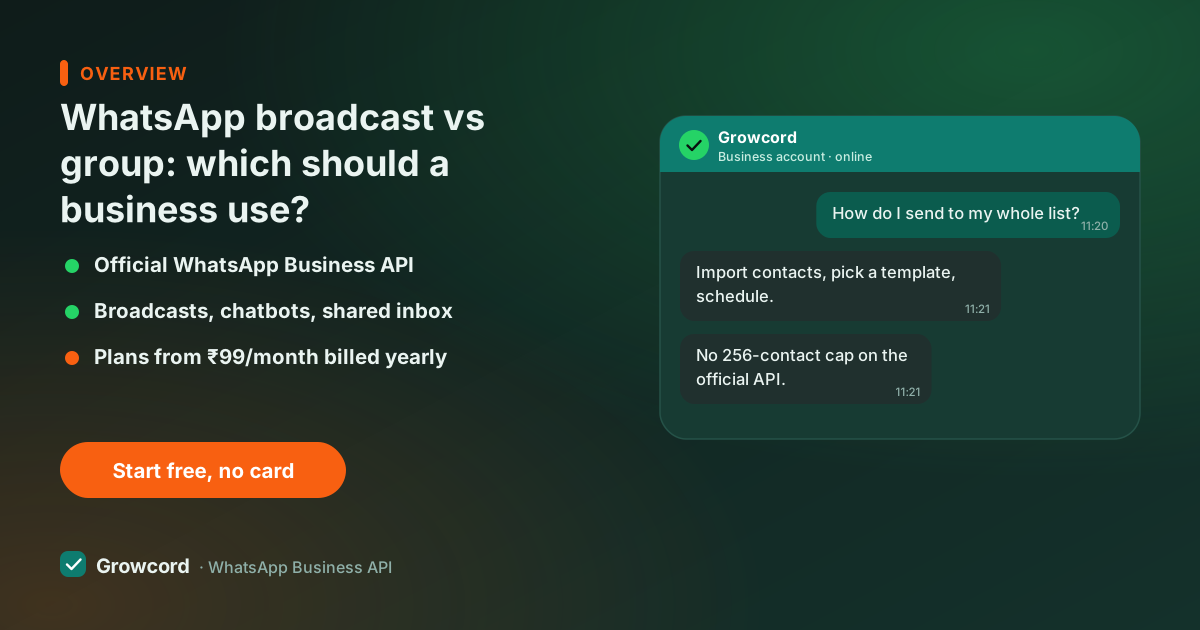
The difference between broadcast and group on WhatsApp
The two features solve opposite problems. A broadcast list is a private mailing list: you write once, and WhatsApp delivers the message to each contact as if you'd typed it to them personally. Nobody knows who else received it. When someone replies, the reply arrives in your normal one-to-one chat with them, invisible to everyone else.
A group is a room. Every member sees every message, every reply, and, critically, every other member's phone number and profile. Groups are built for genuine many-to-many conversation: a project team, a society committee, a batch of students, a family.
The moment you use a group as a marketing channel, the mismatch shows. Your announcement is followed by someone's "ok", three unrelated questions, and a forwarded good-morning image, and your actual message is buried eleven scrolls up. Broadcast keeps the channel clean because there is no channel, just hundreds of private conversations that start with your message.
Broadcast list limits, and the saved-number rule
The WhatsApp app's broadcast has two hard constraints, both unchanged as of August 2026. First, a broadcast list holds a maximum of 256 contacts, a 2,000-customer base means eight lists maintained by hand, and remembering which customer sits in which list.
Second, the delivery rule that surprises everyone: a broadcast only reaches contacts who have saved your number in their phone book. Customers who ordered once and never saved you simply don't receive the message, and the app doesn't tell you who was skipped. There are no delivery or read reports for the rest, either.
Groups have their own ceiling, 1,024 members as of August 2026, but for business messaging the bigger problems aren't numeric, as the next section covers.
Broadcast vs group vs API broadcast, side by side
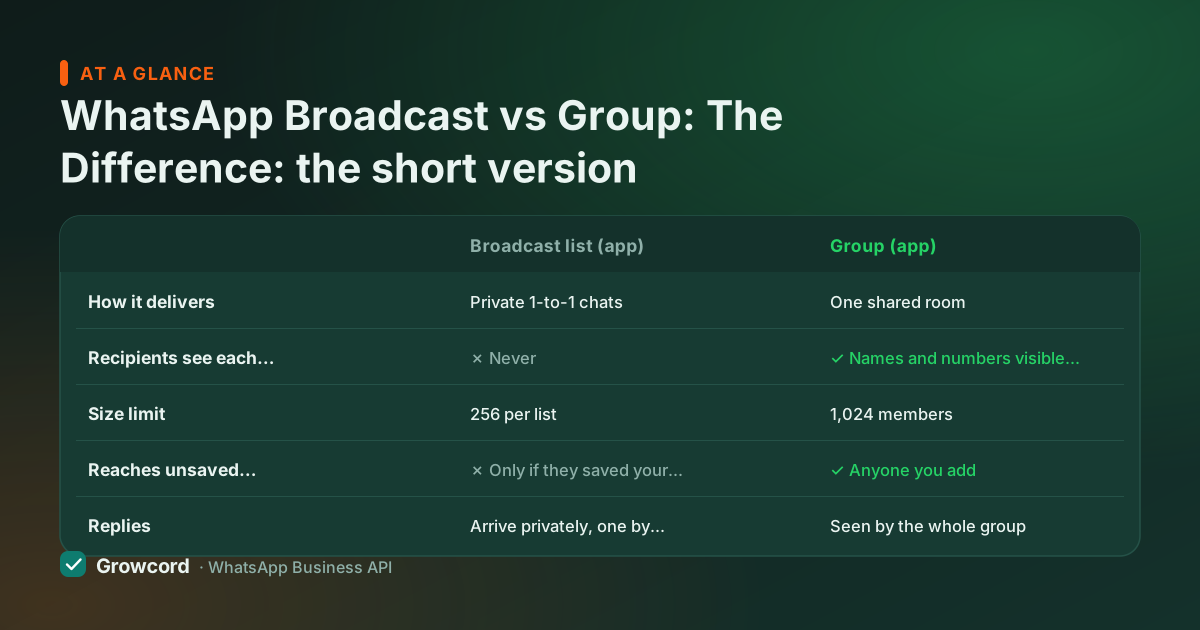
| Broadcast list (app) | Group (app) | API broadcast (Growcord) | |
|---|---|---|---|
How it delivers | Private 1-to-1 chats | One shared room | Private 1-to-1 chats |
Recipients see each other | ✗ Never | ✓ Names and numbers visible to all | ✗ Never |
Size limit | 256 per list | 1,024 members | No product cap, Meta quality tiers apply |
Reaches unsaved contacts | ✗ Only if they saved your number | ✓ Anyone you add | ✓ Every opted-in contact |
Replies | Arrive privately, one by one | Seen by the whole group | Land in a shared team inbox |
Personalisation | ✗ Same text for all | ✗ Same text for all | ✓ Name, order, amount merged per contact |
Delivery and read reports | ✗ None | ✗ None | ✓ Per campaign and per contact |
Scheduling | ✗ Not available | ✗ Not available | ✓ Any date and time |
App behaviour as published by WhatsApp, checked August 2026. API column as implemented in Growcord on the official WhatsApp Business API.
Why group message marketing backfires
Adding customers to a group without asking is one of the fastest ways to burn goodwill on WhatsApp. Their number is now visible to hundreds of strangers, a real privacy problem, and for some customers reason enough to report the group.
Unless you restrict posting to admins, any member can message everyone, so the room fills with noise or worse. Members leave publicly, one by one, which reads as a slow-motion vote of no confidence. And reports from annoyed members put your number at risk, since WhatsApp acts on spam signals; our guide to why WhatsApp bans numbers covers how that escalates.
Groups still have legitimate business uses, an internal staff channel, a paid cohort of students, a delivery-drivers coordination room. The test is simple: do the members benefit from seeing each other's messages? If yes, group. If you're the only one who should be talking, it was never a group use case.
Sending past 256: broadcasts on the API
When the 256-contact ceiling and the saved-number rule start costing you real reach, the upgrade path isn't more lists, it's the official WhatsApp Business API. API broadcasts deliver to every opted-in contact whether or not they saved you, with no list-size cap (Meta's messaging tiers start at 1,000 unique customers a day and grow automatically).
Messages are personalised per contact, sends can be scheduled, and each campaign reports delivered, read and replied counts, the things the app's broadcast can't tell you at all.
In Growcord that looks like: import contacts with tags, pick a Meta-approved template, choose a segment, schedule, and watch the report fill in. Replies flow into a shared inbox your whole team can answer.
Plans start at ₹299/month (₹99/month billed yearly), plus Meta's per-message fees at Meta's published rate with no markup added, the broadcast software page and bulk sender guide go deeper on how it works, and the one non-negotiable is consent: every recipient must have opted in.
Moving a group audience to proper broadcasts
Ask for the opt-in where they already are
Post once in the group: reply JOIN on WhatsApp (or scan a QR) to get offers and updates directly. The keyword reply is a clean, recorded opt-in.
Tag arrivals as they come in
Everyone who messages JOIN lands in your Growcord contacts, auto-tagged. Tags become the segments you'll broadcast to later.
Send the first broadcast and retire the noise
Send a template broadcast to the new segment, watch delivery and read counts, and let the group go back to being a discussion space, or archive it.
Outgrow the 256-contact broadcast list
Free tier: one number, 50 conversations a month. Prove an API broadcast on a small segment before paying anything.
Start free, no card neededWhy Growcord
What you get here that you don't get elsewhere
Frequently asked questions
Can people see who else is in a WhatsApp broadcast?
No. Broadcast messages arrive as ordinary private chats, each recipient sees only your message to them, with no indication anyone else received it, and replies stay private too. This is the core difference from a group, where every member can see everyone's messages, names and phone numbers.
What is the limit of a WhatsApp broadcast list?
256 contacts per list in the WhatsApp and WhatsApp Business apps, as of August 2026, and the message only delivers to contacts who have saved your number. Broadcasts on the official WhatsApp Business API have no product cap; the ceiling is Meta's messaging tier, which starts at 1,000 unique customers per day and rises automatically with good sending quality.
Is broadcast better than a group for marketing?
Yes, almost always. Broadcasts respect privacy (no visible member list), keep replies one-to-one, and don't bury your message under other people's chatter. Groups expose every customer's number to strangers, invite noise, and generate spam reports when people are added without consent. Reserve groups for audiences that genuinely need to talk to each other.
Do customers need to save my number to receive a broadcast?
In the WhatsApp app, yes, broadcast lists silently skip anyone who hasn't saved your number, and you can't see who was skipped. On the official API, no: template broadcasts reach every opted-in contact regardless of whether they saved you, which is usually the single biggest jump in reach when businesses switch.
How do I send a broadcast to more than 256 contacts?
Use the official WhatsApp Business API through a platform like Growcord. You import opted-in contacts, send a Meta-approved template to any segment size within your messaging tier, and get per-campaign delivery and read reports. Avoid unofficial bulk-sender tools that automate the normal app, that pattern is exactly what gets numbers banned.
Why businesses pick Growcord
Official WhatsApp Business API
Built on Meta's Cloud API, the sanctioned channel, not a modded app. No number-ban roulette.
Indian pricing, GST invoice
Plans from ₹99/month billed yearly. Paid in ₹ via Razorpay, with a proper GST invoice every time.
Free tier, no card needed
1 number and 50 conversations a month to prove it on real customers before paying anything.
Support from New Delhi, in IST
A real team on email and WhatsApp, Monday to Saturday 10:00–19:00 IST, not a ticket void.
Talk to us
Get set up on WhatsApp this week
Tell us what you sell and how many customers you message. We'll reply on WhatsApp with the plan that fits and, if you want it, walk you through the Meta approval step.
- No sales call unless you ask for one
- Answers from the team that builds it, in IST hours
- Free tier available. You can start before you decide
Keep reading
Related guides and comparisons
Last updated: 2026-08-07