

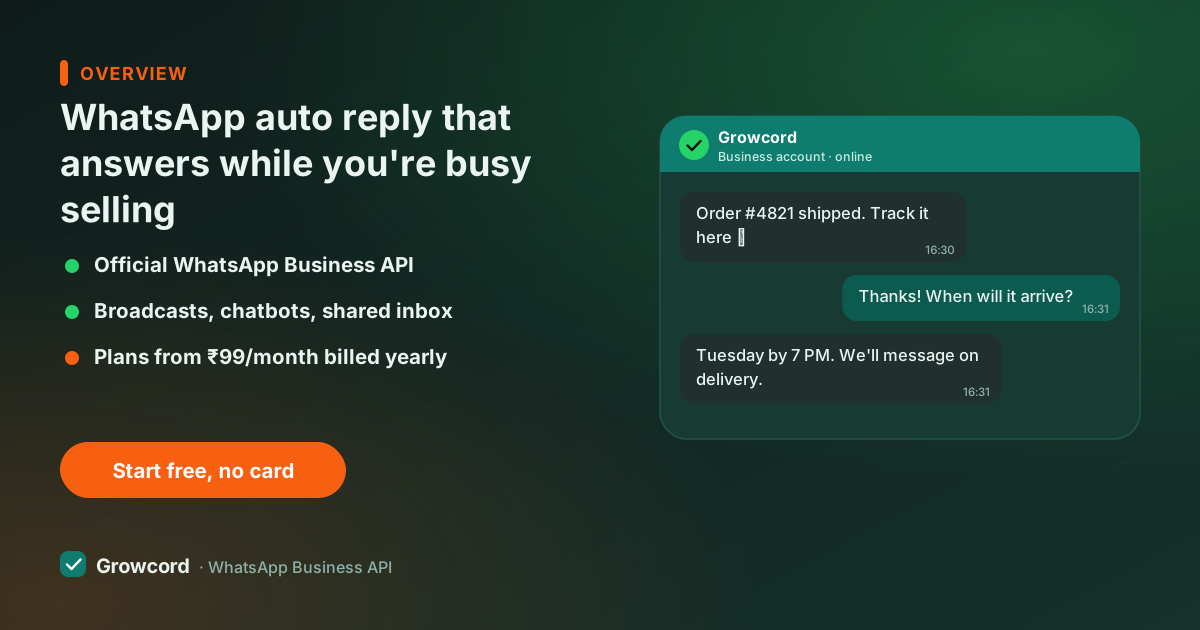
The first minute decides the enquiry
A customer looking for a product on a Saturday evening doesn't message one shop, they message three or four, then buy from whoever answers first. If your reply comes Monday morning, you weren't in the race.
This is the ordinary physics of WhatsApp selling in India: the enquiry is hot for minutes, not days, and most of them arrive exactly when you can't type, dinner time, festival rush, the middle of another customer's billing.
The Business app's answer is a single greeting message and a single away message, both dependent on the phone they live on. One text for every situation, no way to answer "what's the price of the 1.5 ton AC?" differently from "where is my order?", and nothing that helps once the customer replies to the auto reply.
An auto reply doesn't close the sale. Its job is smaller and more valuable: acknowledge instantly, give the customer something to do (send a catalog link, ask which city they're in), and hold the lead until a human or a bot takes over. Done well, it's the difference between a lead that waits and a lead that buys elsewhere, the maths of replying to leads faster is brutal and simple.
Auto reply messages for business you can adapt
Write yours in your own voice, but the working patterns look like this:
- Greeting (first contact): "Namaste! You've reached Arora Furnishings. Reply with CATALOG for our latest designs, PRICE for rates, or just type your question, we answer within 15 minutes during store hours (10 am–8 pm)."
- Away message (after hours): "Thanks for messaging! Our team is offline right now and will reply when we open at 10 am. If it's about an existing order, reply with your order number and we'll pick it up first."
- Keyword reply (PRICE): "Our current price list is here: [link]. Prices include GST; delivery charges depend on pincode. Reply with your pincode and we'll confirm the total."
- Order enquiry: "Got it, checking your order. A teammate will confirm the delivery status here shortly. Meanwhile, your invoice and tracking link are in the confirmation message we sent earlier."
Two rules make all of these work: say when a real reply is coming, and give one clear next step. An auto reply that just says "we'll get back to you" wastes the moment.
What Growcord auto replies can do
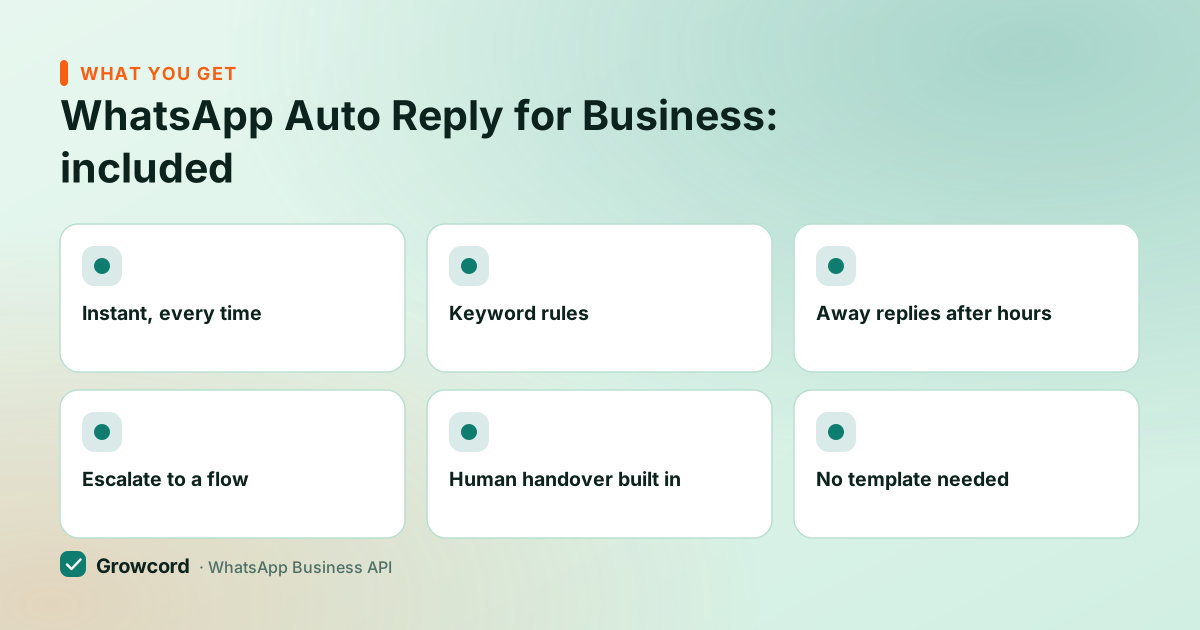
Instant, every time
Replies fire within seconds of the incoming message, 2 am included. The API runs in the cloud, so no phone needs to be on.
Keyword rules
Answer "price", "catalog", "track" and "address" differently. One number, many prepared answers.
Away replies after hours
Late-night enquiries get an honest "we open at 10" instead of silence, which holds the lead until morning.
Escalate to a flow
A keyword can start a no-code bot flow that qualifies the lead, shares the catalog or takes the order step by step.
Human handover built in
Every auto-replied chat sits in the shared team inbox with the auto reply visible, ready for a person to continue.
No template needed
Because the customer messaged first, your reply travels inside the open 24-hour window as a normal free-form message.
Set up an auto reply in Growcord
Connect your number
Link your WhatsApp number to Growcord, the free tier (1 number, 50 conversations a month) is enough to build and test everything.
Write the replies
Create a greeting for new chats, an away reply for closed hours, and keyword rules for the questions you get every day.
Choose what happens next
Point each rule at its follow-up: drop the chat into the team inbox, or hand it to a bot flow that asks the next question.
Test it like a customer
Message your own number from a friend's phone. Check the timing, the tone and the handover, then adjust the wording until it sounds like you.
When an instant reply bot beats a canned line
An auto reply says the same thing every time. That's fine for acknowledgements, but the moment the answer depends on the customer, which product, which city, which slot, you want a flow, not a line.
A bot built in Growcord's no-code chatbot builder asks the next question and branches on the answer: a real-estate bot collects budget and locality before a salesperson ever types; a tuition centre's bot shares batch timings and fees, then books the counselling call.
The practical split most businesses land on: auto replies for acknowledgement and after-hours cover, a chatbot for the five questions that make up most of the inbox, and humans for everything with money or emotion in it. All three hand off to each other inside the same conversation, which is what makes the setup feel like one competent shop rather than a phone tree.
WhatsApp away messages, and what auto replies cost
The reply itself is the cheap part. When a customer messages you, a service conversation opens and your auto reply rides inside it as a session message, no template approval, no marketing send, no separate charge for the automatic answer.
Conversations count against your plan's included quota, and Meta's per-conversation fees are billed as credits at Meta's published rate with zero markup; the 24-hour window guide explains the mechanics and the conversation pricing guide covers the fees.
Auto replies are available on every Growcord plan. Paid plans start at ₹299/month (₹99/month billed yearly) and carry a 7-day unconditional money-back guarantee; the pricing page has the full table, including the free tier, which is a perfectly good way to run a greeting and an away message on a real number before spending anything.
Stop losing the after-hours enquiries
Set up a greeting, an away reply and your first keyword rule on the free tier, 1 number, 50 conversations a month, no card needed.
Start free, no card neededWhy Growcord
What you get here that you don't get elsewhere
Frequently asked questions
How do I set an auto reply on WhatsApp Business?
In the free Business app: Settings → Business tools → Greeting message or Away message, one of each, tied to your phone. On the API with Growcord, you create reply rules in the dashboard instead: greetings, away replies and keyword triggers, each with its own text and handover, running in the cloud whether or not any phone is on.
Can WhatsApp auto reply to specific keywords?
Not in the Business app. It has no keyword triggers, only one greeting and one away message. On the WhatsApp Business API through Growcord, yes: set rules so "PRICE" returns your rate card, "CATALOG" sends the brochure, and "TRACK" asks for the order number, each optionally handing over to a bot flow or your team.
Does auto reply work when my phone is switched off?
On the API, yes, replies are sent by Growcord's cloud connection to WhatsApp, so they go out at 2 am with every phone in the house switched off. The Business app is different: its greeting and away messages depend on the app on your phone, which is exactly why late-night enquiries slip through.
Do auto reply messages cost extra?
No separate charge. The customer messaged first, which opens a conversation, your auto reply travels inside it as a normal session message, with no template fee and no marketing send. The conversation counts against your plan's included quota like any other customer chat; plans start at ₹299/month (₹99/month billed yearly).
What should my away message say?
Three things: confirm the message arrived, say exactly when a human will reply ("after 10 am", not "soon"), and offer one useful action in the meantime, an order-number prompt, a catalog link, an FAQ keyword. Customers forgive closed hours; they don't forgive silence or vague promises.
Can auto replies and my team work on the same number?
Yes, that's the intended design. The auto reply acknowledges instantly, the conversation lands in the shared team inbox with the automatic message visible in the thread, and whoever picks it up continues naturally. Bots can sit in between for qualification, and a human can take over any bot conversation at any point.
Why businesses pick Growcord
Official WhatsApp Business API
Built on Meta's Cloud API, the sanctioned channel, not a modded app. No number-ban roulette.
Indian pricing, GST invoice
Plans from ₹99/month billed yearly. Paid in ₹ via Razorpay, with a proper GST invoice every time.
Free tier, no card needed
1 number and 50 conversations a month to prove it on real customers before paying anything.
Support from New Delhi, in IST
A real team on email and WhatsApp, Monday to Saturday 10:00–19:00 IST, not a ticket void.
Talk to us
Get set up on WhatsApp this week
Tell us what you sell and how many customers you message. We'll reply on WhatsApp with the plan that fits and, if you want it, walk you through the Meta approval step.
- No sales call unless you ask for one
- Answers from the team that builds it, in IST hours
- Free tier available. You can start before you decide
Keep reading
Related guides and comparisons
Last updated: 2026-08-07