

What the badge changes, and what it doesn't
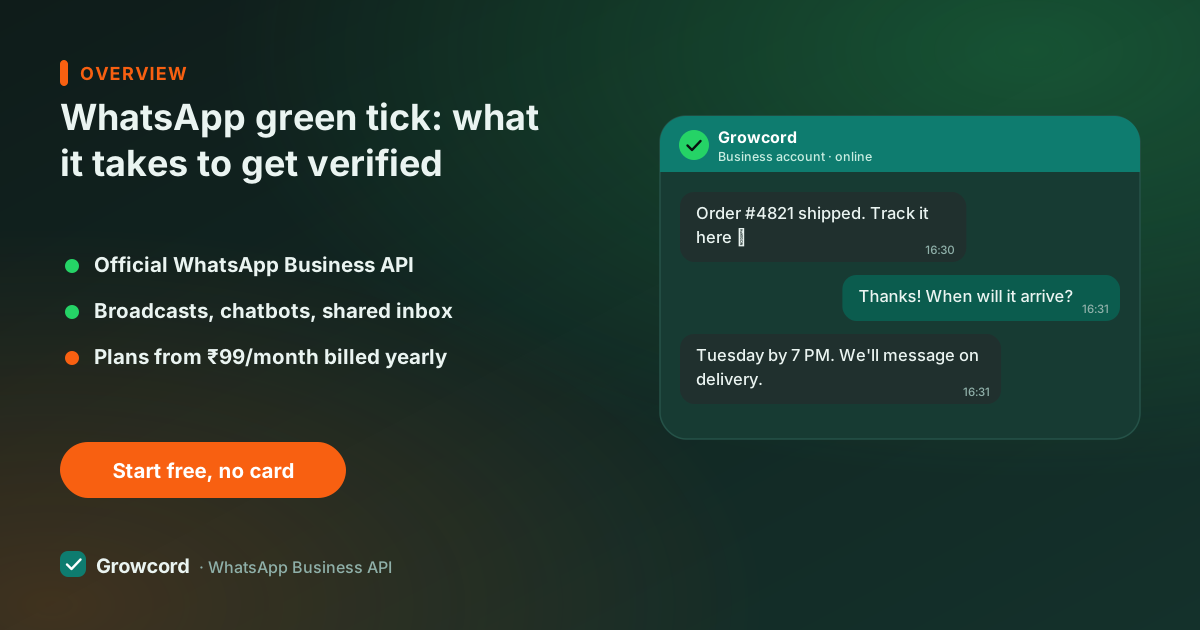
The badge marks an Official Business Account (OBA). The visible effect customers notice: your display name shows in the chat, backed by the verified mark, which reads as "this is really the brand", useful when your broadcasts land next to the fake-lottery spam every Indian phone receives. For a business doing broadcast campaigns or collecting payments in chat, that trust is the whole value.
What it does *not* change is just as important. The badge has no effect on messaging limits, template approval, conversation pricing, or any API feature, an unverified business account sends the same messages at the same cost. Meta has published nothing suggesting verified accounts get better delivery. So treat the tick as branding, not infrastructure: worth applying for, not worth blocking your launch on.
Green tick vs blue tick, the change nobody renamed
Around 2025 Meta began folding WhatsApp's business badge into its broader Meta Verified system, and the checkmark in current WhatsApp versions renders blue, matching Facebook and Instagram. The industry, the search bar and most agencies still say "green tick", and the thing being applied for, Official Business Account status, is the same.
Separately, Meta sells a Meta Verified subscription for small businesses on the WhatsApp Business app in some countries; that paid path is a different product from OBA status on the API, which remains a free application judged on notability. As of August 2026, availability and badge behaviour still vary by region, so check WhatsApp Manager for what your account is offered.
What Meta expects before you apply
A WhatsApp Business API account, the badge isn't granted through the free Business app's standard path
Meta business verification completed in Business Manager (documents matching your registered business)
Two-step verification enabled on the WhatsApp account
An approved display name that matches your real brand name
A registered business, individuals and personal brands aren't eligible
Notability: independent, organic press coverage in recognisable publications, paid PR and directory listings don't count
How the application actually goes
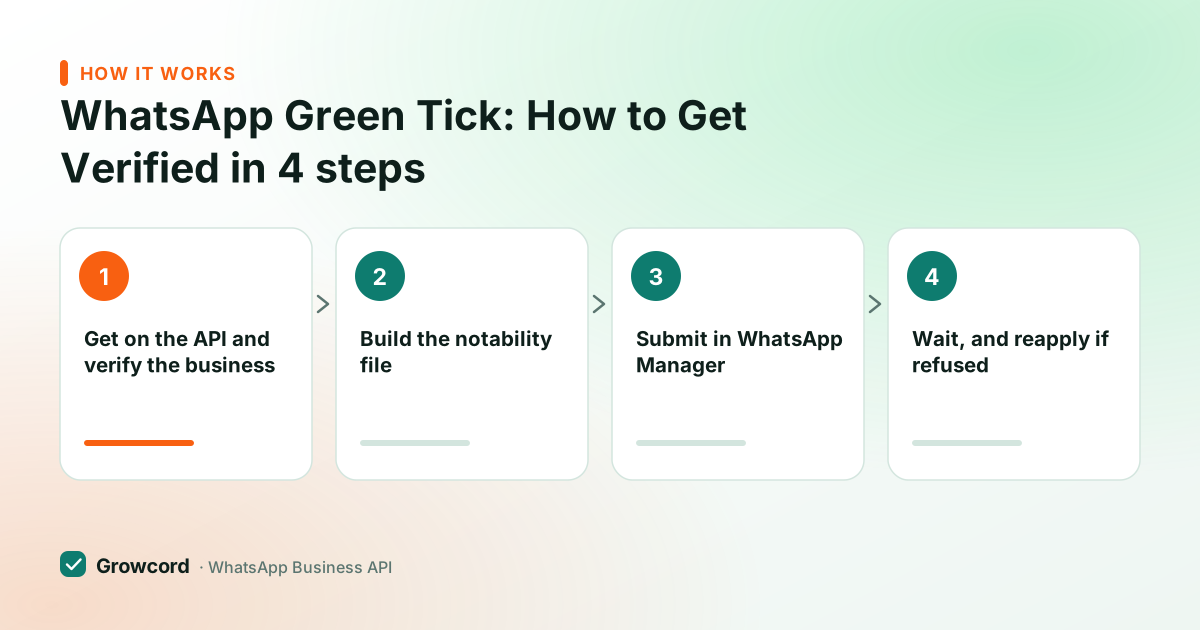
Get on the API and verify the business
Connect your number through a platform like Growcord, then complete Meta business verification in Business Manager with your registration documents. This part is a prerequisite, not the application itself.
Build the notability file
Collect links: news articles that mention your brand, your official website, consistent naming everywhere. Meta's reviewers are checking whether a stranger could confirm your brand is known.
Submit in WhatsApp Manager
In Meta's WhatsApp Manager, request Official Business Account status for the number and attach your supporting links. The form takes minutes; the file behind it is what decides the outcome.
Wait, and reapply if refused
Decisions commonly come back within days to a couple of weeks. Rejections are normal for young brands. You can reapply after 30 days, ideally with new press in between.
If someone offers to sell you a green tick
Meta does not charge for the OBA application, and nobody outside Meta can guarantee approval. The decision is Meta's alone, made mostly on notability. Agencies that promise a paid, guaranteed tick are selling either the application form (which you can fill yourself in ten minutes) or a claim they can't honour.
A platform's honest role is smaller: get your number on the API cleanly, help your display name through approval, and point you at the process, Growcord's IST support does exactly that, and the step-by-step guide walks the whole application.
What to do while you're not verified yet
Most businesses on WhatsApp, including large ones, run without the badge, and customers mostly judge the chat, not the checkmark. A complete business profile with your logo, website and address does more day-to-day trust work than the tick.
Meanwhile the things that actually move revenue, broadcasts, automations, a shared inbox, work identically either way, on plans from ₹299/month (₹99/month billed yearly); see pricing. Apply for the badge when the press exists; don't wait for it to start messaging.
Get on the official API first. The badge comes after
Verification requires an API account anyway. Start on the free tier, get your display name approved, and apply from a position of strength.
Start free, no card neededWhy Growcord
What you get here that you don't get elsewhere
Frequently asked questions
How much does the WhatsApp green tick cost?
The application itself is free. Meta charges nothing for Official Business Account status, and there's no fee that improves your odds. You only pay for what you'd pay for anyway: a WhatsApp API platform (Growcord plans start at ₹99/month billed yearly) and Meta's conversation fees, which Growcord passes through at Meta's published rate with zero markup. Treat anyone selling a 'guaranteed green tick' with suspicion.
Why was my green tick application rejected?
Almost always notability. Meta wants evidence a brand is publicly known, independent news coverage is the strongest signal, and paid PR, directories and your own blog don't count. Rejection doesn't affect your account or messaging in any way. You can reapply after 30 days; the applications that succeed on retry usually added real press in between.
Is the WhatsApp green tick now a blue tick?
Visually, yes, Meta aligned WhatsApp's verified badge with Meta Verified around 2025, so current app versions show a blue checkmark. The status behind it, Official Business Account, is unchanged, and the application still runs through WhatsApp Manager. People and agencies still call it the green tick, which is why both names float around.
Can I get verified on the free WhatsApp Business app?
The OBA badge is applied for through the API side via WhatsApp Manager. On the free Business app, Meta offers a paid Meta Verified subscription in some countries, which is a different product with different benefits. If you want the classic verified-business badge Indian customers recognise, the path runs through a WhatsApp Business API account.
How long does green tick verification take?
Once submitted, decisions commonly arrive within a few business days, though some reviews stretch to a couple of weeks. The slow part is usually before submission: completing Meta business verification with your company documents, and accumulating the press coverage that satisfies the notability bar.
Do I need the green tick to send broadcasts or use the API?
No. Every API feature, broadcasts, chatbots, the team inbox, notifications, works identically without the badge, at the same prices and the same messaging limits. The tick adds a trust mark, nothing functional. Plenty of businesses run serious WhatsApp operations for years without it.
Why businesses pick Growcord
Official WhatsApp Business API
Built on Meta's Cloud API, the sanctioned channel, not a modded app. No number-ban roulette.
Indian pricing, GST invoice
Plans from ₹99/month billed yearly. Paid in ₹ via Razorpay, with a proper GST invoice every time.
Free tier, no card needed
1 number and 50 conversations a month to prove it on real customers before paying anything.
Support from New Delhi, in IST
A real team on email and WhatsApp, Monday to Saturday 10:00–19:00 IST, not a ticket void.
Talk to us
Get set up on WhatsApp this week
Tell us what you sell and how many customers you message. We'll reply on WhatsApp with the plan that fits and, if you want it, walk you through the Meta approval step.
- No sales call unless you ask for one
- Answers from the team that builds it, in IST hours
- Free tier available. You can start before you decide
Keep reading
Related guides and comparisons
Last updated: 2026-08-07