

Kirana WhatsApp ordering, without ten missed messages a day
Your customers already send you lists "1 atta 5kg, 2 Fortune oil, doodh 1L, Maggi 6", or a photo of a handwritten chit. That habit is the whole opportunity.
The problem starts at volume: lists buried under other chats, the phone with the owner at the mandi, no record of what was promised for which slot, and a customer who ordered at 9 am still waiting for a "got it" at noon.
On the API, every list lands in a shared inbox that you, your delivery boy and whoever mans the counter can all see. An auto-reply acknowledges the order instantly with your delivery slots, a bot can answer "kitne baje khulte ho?" and "COD chalega?" without anyone typing, and once the order is packed a confirmation goes out with the total and the slot. Nothing gets lost because nothing depends on one phone.
Daily offers on WhatsApp that people actually read
The quick-commerce apps fight with push notifications everyone has muted. A kirana's advantage is that its message arrives in the same chat where the customer orders, personal, from a shop they know by name.
A short daily or thrice-weekly offer broadcast, today's sabzi rates, a deal on ghee, Diwali dry-fruit boxes, goes out as an approved template to everyone who opted in, scheduled for 8 am before shopping decisions are made.
Two rules keep this working. First, opt-in: take consent with a "Reply YES for daily offers" line or a QR at the counter, the opt-in guide shows formats that hold up.
Second, restraint: segment by area or society so people get offers relevant to their delivery day, and keep an opt-out line in every message. Stores that blast everyone daily watch blocks rise; stores that send useful prices watch orders come back as replies.
What a grocery store runs on Growcord
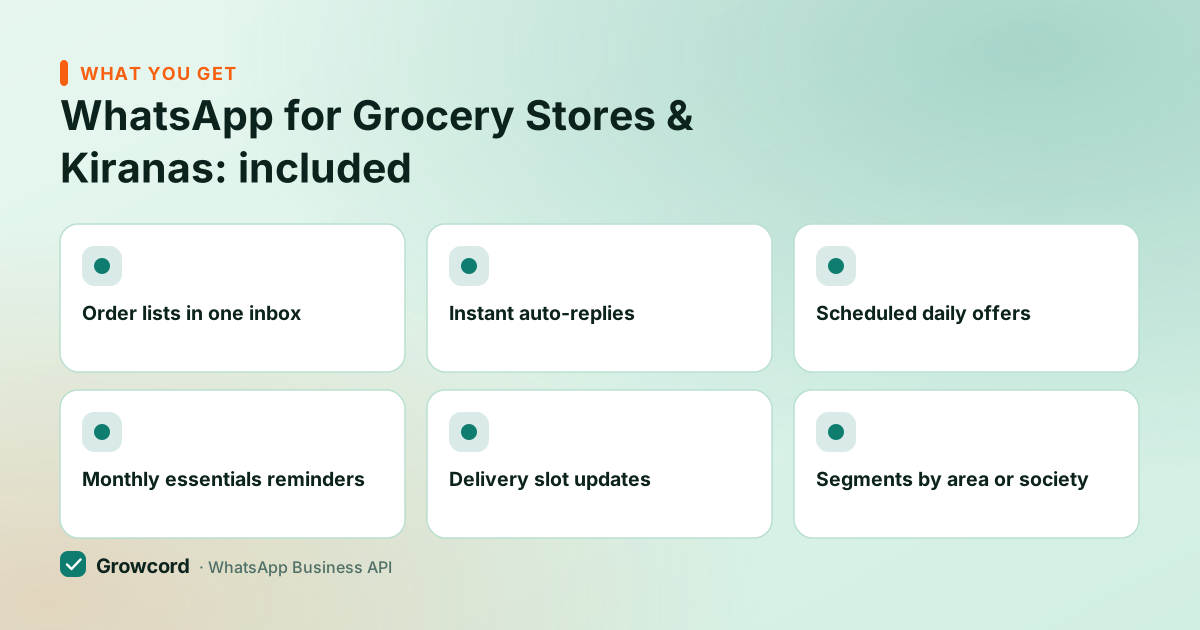
Order lists in one inbox
Typed lists and photos land in a shared inbox with the customer's history and address alongside, any staffer can confirm and pack.
Instant auto-replies
Store timings, delivery areas, minimum order, payment options, answered in seconds even when you're weighing atta.
Scheduled daily offers
Tomorrow's offer written tonight, sent at 8 am sharp. Delivery and read counts tell you which offers pull orders.
Monthly essentials reminders
Thirty days after the last big order, a reminder nudges the regular basket, atta, oil, sugar, dal, before the app order happens.
Delivery slot updates
"Packed", "out for delivery", "delivered", utility messages that stop the where-is-my-order calls.
Segments by area or society
Tag customers by building or delivery day so Tuesday's route gets Tuesday's message, not everyone, always.
Three templates a grocery store can copy
Daily offer (marketing): "Sharma Kirana, today's picks: Tomatoes ₹{{1}}/kg · Amul Ghee 1L ₹{{2}} · Aashirvaad Atta 10kg ₹{{3}}. Free delivery in {{4}} on orders above ₹499. Send your list here to order. Reply STOP to opt out." Prices and a clear next step, nothing clever, which is exactly why it works.
Order confirmation with slot (utility): "Order confirmed, {{1}}! {{2}} items, total ₹{{3}}. Delivery today between {{4}}. Pay by UPI on delivery or on this link: {{5}}." This is a utility message, so it costs a fraction of a marketing one, and it kills the follow-up call.
Monthly restock reminder (marketing): "{{1}}, it's been a month since your last staples order at Sharma Kirana. Want us to repeat it, atta, oil, sugar, dal, at today's prices? Reply YES and we'll confirm the list and slot." Repeat-basket nudges are the closest thing a kirana has to a subscription; the repeat purchases page goes deeper on the pattern.
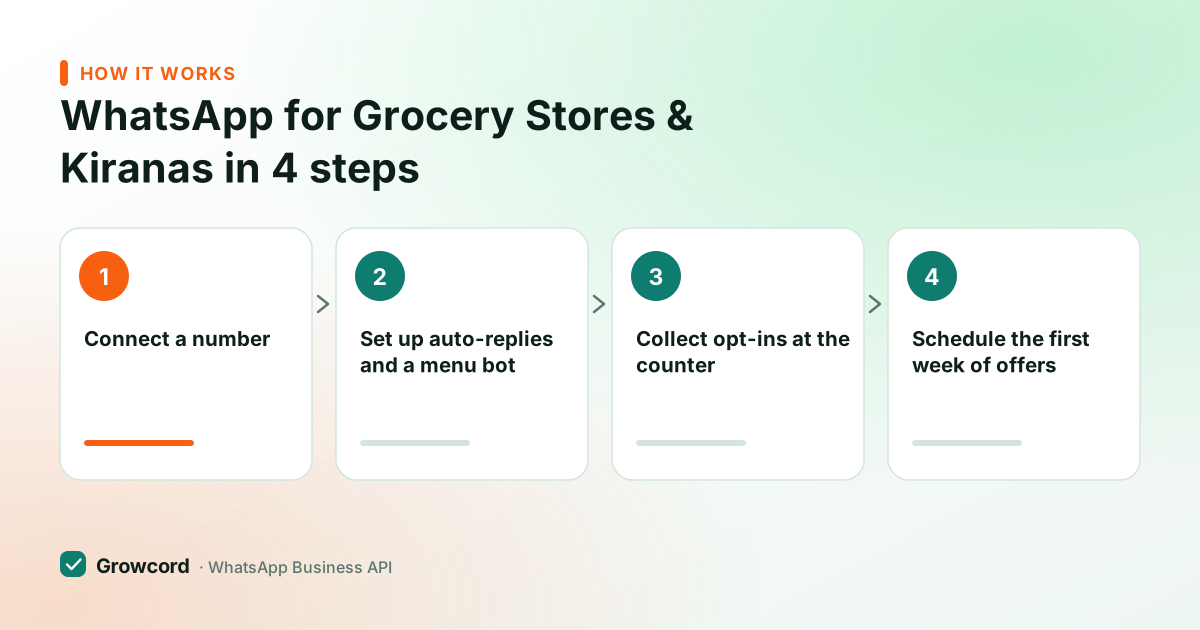
How a store gets started
Connect a number
Use a new number or move your existing one to the API through Growcord. Your shop name and logo show on the profile.
Set up auto-replies and a menu bot
Timings, delivery areas and payment questions get instant answers; a simple keyword menu takes structured orders when you're busy.
Collect opt-ins at the counter
A QR code by the billing counter and a YES keyword build your offers list from real customers, not a purchased database.
Schedule the first week of offers
Three offer broadcasts, sent mornings. Watch which one gets replies, and answer orders from the shared inbox.
What it costs, and when the free app is honestly enough
If you have a few hundred customers and you personally answer every message, stay on the free WhatsApp Business app. The API would be paying for capacity you don't need yet. The API earns its fee when more than one person handles orders, when your opted-in list crosses several hundred, or when you want offers and delivery updates going out automatically.
Growcord's Basic plan is ₹299/month (₹99/month billed yearly) with 200 conversations included; Startup at ₹799/month (₹399 yearly) covers 1,000 for stores broadcasting to a bigger list.
Meta's fees sit on top, billed as credits at Meta's published rate with nothing added by us, and shown before you send: marketing conversations run about ₹0.78–0.88 in India, utility messages like order confirmations cost much less, and replying to a customer who messaged you first is free of Meta charges, which describes most of a kirana's day. The pricing page lists every plan, and the conversation pricing guide explains the categories.
Take tomorrow's order lists on one shared number
Free tier includes 1 number and 50 conversations a month, enough to try order-taking and offers on your real customers first.
Start free, no card neededWhy Growcord
What you get here that you don't get elsewhere
Frequently asked questions
Can customers send me their grocery list on WhatsApp?
Yes, typed lists and photos of handwritten lists both arrive as normal chat messages in Growcord's shared inbox, where any staffer can read them, confirm the total and assign a delivery slot. A bot can also take structured orders through a keyword menu, but photo lists still need a human to read them, no tool reliably converts a handwritten chit automatically.
How do I send daily offers on WhatsApp to all my customers?
Write the offer as a template, get it approved by Meta once, then broadcast it to your opted-in list on a schedule from Growcord. There's no 256-contact cap like the Business app's broadcast lists, customers don't need to have saved your number, and you see delivered and read counts per send.
Is the free WhatsApp Business app enough for my kirana?
Often, yes. If one person answers one phone for a few hundred customers, the free app does the job. Move to the API when multiple people need to answer from one number, your offer list outgrows 256-contact broadcast lists, or you want order confirmations and delivery updates sent automatically.
What does the WhatsApp API cost for a grocery store?
Growcord starts at ₹299/month (₹99/month billed yearly) with 200 conversations included, and there's a free tier with 50 conversations a month to trial it. Meta's per-conversation fees apply on top, around ₹0.78–0.88 for a marketing message, far less for utility updates, and nothing for replying to customers who message you first.
Will daily offer messages annoy customers or get me blocked?
Only if people didn't ask for them or the offers aren't useful. Take opt-ins at the counter, keep the message short and price-led, segment by area so it's relevant, and include an opt-out line. Blocks show up in your quality rating inside the dashboard, so you'll see a problem before Meta acts on it.
Can I show my products in a catalogue on WhatsApp?
Yes. A WhatsApp catalog attached to your business profile lets customers browse items with prices and photos and add them to a cart inside the chat. For a kirana, the practical setup is a catalog of your top 50–100 packaged SKUs, atta, oil, dals, staples, with free text still handling loose sabzi and anything unlisted. The WhatsApp catalog page has the setup steps.
Why businesses pick Growcord
Official WhatsApp Business API
Built on Meta's Cloud API, the sanctioned channel, not a modded app. No number-ban roulette.
Indian pricing, GST invoice
Plans from ₹99/month billed yearly. Paid in ₹ via Razorpay, with a proper GST invoice every time.
Free tier, no card needed
1 number and 50 conversations a month to prove it on real customers before paying anything.
Support from New Delhi, in IST
A real team on email and WhatsApp, Monday to Saturday 10:00–19:00 IST, not a ticket void.
Talk to us
Get set up on WhatsApp this week
Tell us what you sell and how many customers you message. We'll reply on WhatsApp with the plan that fits and, if you want it, walk you through the Meta approval step.
- No sales call unless you ask for one
- Answers from the team that builds it, in IST hours
- Free tier available. You can start before you decide
Documentation and official resources
Keep reading
Related guides and comparisons
Last updated: 2026-08-07