

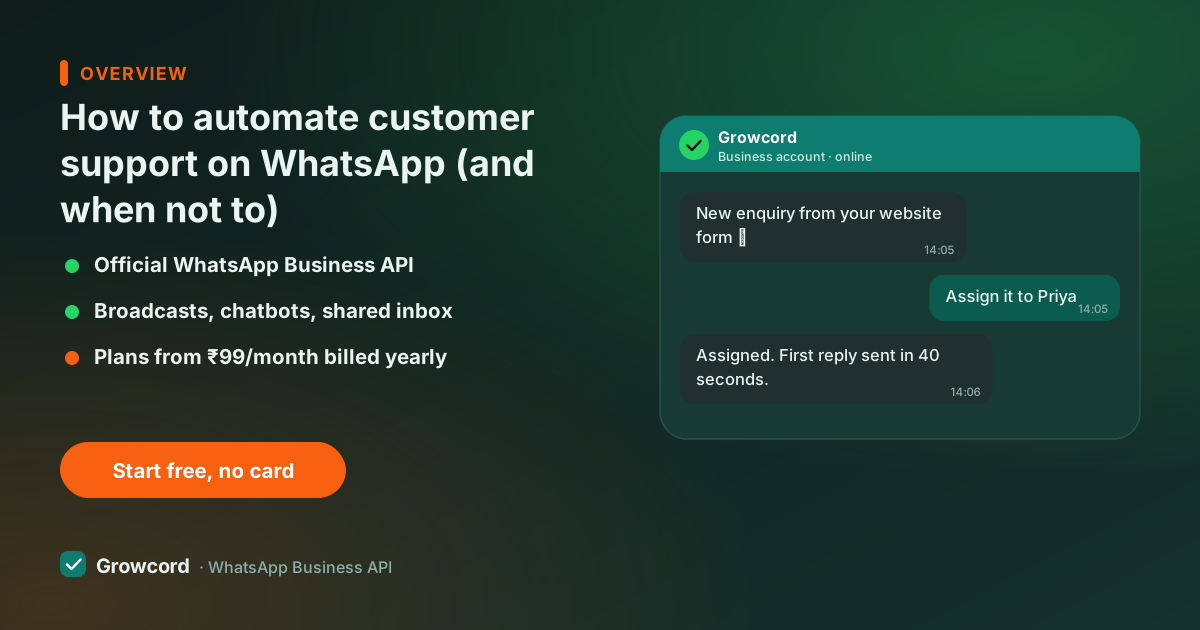
Start with the questions you answer every single day
Open your chat history before you build anything. In most support queues, a handful of questions make up the bulk of the volume: "where is my order?", "are you open today?", "what's the price of this?", "do you deliver to my pincode?", "how do I return this?".
Every one of those is currently interrupting a person, and every one has an answer that hasn't changed in months. That's the automation target, not the angry complaint, not the custom request, just the daily repetition.
One question deserves special treatment. "Where is my order?" is best answered before it's asked: Growcord's order notifications send confirmed, shipped and delivered updates automatically from your Shopify or WooCommerce store, which removes the biggest single source of support volume for most e-commerce teams. Prevention beats deflection.
FAQ automation on WhatsApp, layer by layer
Layer one: keyword auto-replies. A message containing "hours" or "timing" gets your schedule instantly; "menu" or "price list" gets the PDF. Simple pattern-match, huge coverage, available from Growcord's Basic plan. The auto-reply page covers setups in detail.
Layer two: the FAQ bot. A flow built in the no-code builder greets the customer with tap-to-answer buttons, Orders, Products, Returns, Talk to us, and walks each branch to a resolution. Buttons beat open text because the customer never has to guess what to type, and the bot never has to guess what they meant. Flows can collect details along the way (order number, pincode) so that if the chat does reach an agent, the groundwork is done.
Layer three: the handover. Everything the first two layers can't resolve lands in the shared team inbox, assigned to a person, with the bot's collected context and full chat history attached. The customer never repeats themselves, and the agent starts from the middle of the problem instead of the beginning.
Good first candidates for automation
Order status, prevented with proactive shipping updates, so the question rarely arrives
Store hours, address and delivery areas
Price lists, catalogues and brochure requests
Return, refund and warranty policy
COD confirmation and payment queries
Appointment booking and rescheduling
"Talk to a human", always one tap away, at every step of every flow
Automating your support queue
List your top ten questions
Pull them from real chat history, not intuition. Rank by frequency, the top few usually dominate the queue.
Build the FAQ flow with buttons
In Growcord's no-code builder, one branch per question family. Short answers, a document or image where it helps, and an escape to a human on every screen.
Set the always-on layer
A greeting for first-time messages, keyword auto-replies for the obvious asks, and an office-hours message that sets expectations at night.
Route the rest to the inbox
Unmatched or escalated chats land in the shared inbox with the bot's context attached, assigned to whoever owns that shift.
Review the numbers monthly
Analytics show which flows resolve on their own and which paths end in handover. Fix the branch people abandon; add the question that keeps reaching agents.
Reduce support response time without pretending the bot is human
Automation's honest job is speed and coverage, not impersonation. The bot should introduce itself as an assistant, resolve what it can, and hand over gracefully, never trap a frustrated customer in a menu loop. Three rules keep it humane. Offer "talk to someone" at every step, not just the end.
Route anything that smells like a complaint straight to a person; an automated reply to "this arrived broken" does damage a discount can't undo. And keep the human path fast during working hours, automation buys your team time, and the customer should feel that time being spent on them.
The payoff shows up in both directions. Customers get answers in seconds at any hour, the acknowledgement alone stops the "did they even see my message?" anxiety that produces repeat pings. And your team's queue shrinks to the conversations that actually need judgment, which is a better day's work than typing the store address for the fortieth time.
What support automation costs
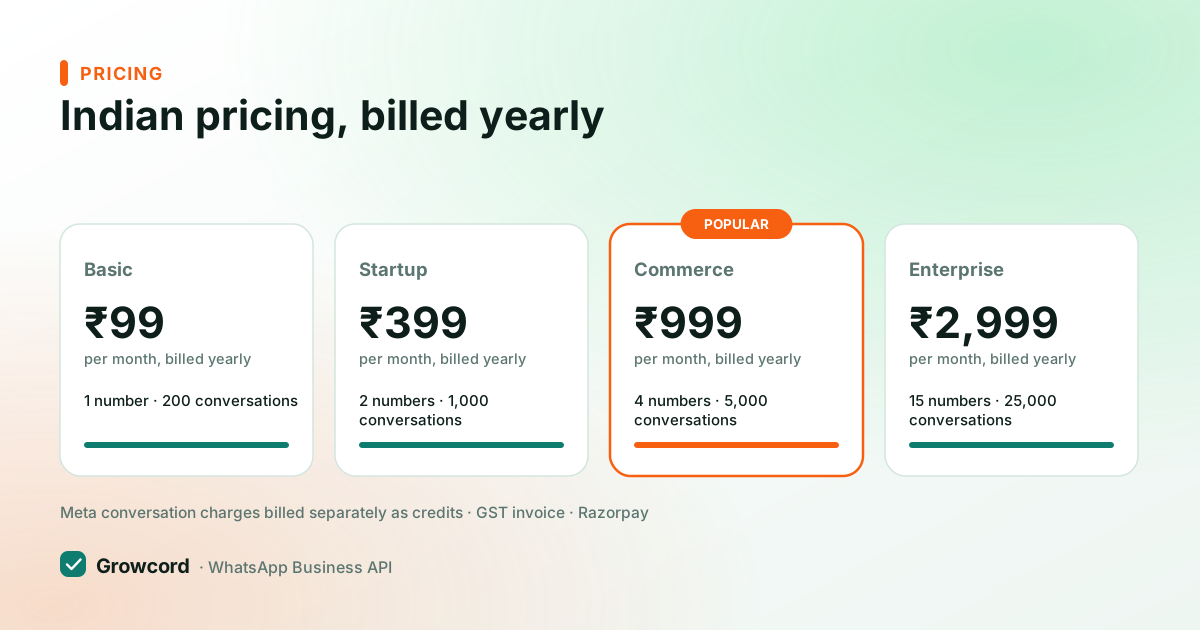
Keyword auto-replies start on Growcord's Basic plan at ₹299/month (₹99/month billed yearly). The FAQ bot, shared inbox and analytics, the full automation stack, start on Startup at ₹799/month (₹399/month billed yearly) with 3 bot flows, 3 team members and 1,000 conversations included; Commerce at ₹1,999/month (₹999 yearly) raises that to 15 flows and 10 members.
Meta's side stays light for support: customers message you first, so your replies, human or bot, inside the 24-hour service window are free-form messages. The pricing page has every plan, and billing is Razorpay with a GST invoice.
Let the bot take the night shift
Start free with 1 number and 50 conversations a month, build your first FAQ flow before you pay anything.
Start free, no card neededWhy Growcord
What you get here that you don't get elsewhere
Frequently asked questions
How do I automate customer support on WhatsApp?
Layer it: keyword auto-replies for instant answers to the obvious questions, a no-code FAQ bot with tap-to-answer buttons for the repetitive ones, and a shared team inbox for everything that needs a person. Start from your real chat history, automate the top ten questions first, and keep a 'talk to a human' option at every step.
Can a bot answer 'where is my order' automatically?
The better fix is preventing the question: Growcord's Shopify and WooCommerce integrations send confirmed, shipped and delivered updates automatically, which removes most order-status queries before they're asked. For live lookups against your own order system, the REST API and custom webhooks let a flow fetch and reply with real data.
Will customers get annoyed talking to a bot?
They get annoyed at bots that trap them, not bots that help fast. Keep the bot honest about being an assistant, answer in one or two taps, and put 'talk to someone' on every screen. Most customers asking about store hours at 10 pm are delighted by an instant answer, annoyance starts when escalation is hidden.
Do I need a developer to set up a WhatsApp support bot?
No. Growcord's flow builder is no-code: you assemble greetings, button menus, answers and handover rules visually, and connect your number through a guided Meta Cloud API flow. A developer only enters the picture for optional custom work, like wiring the API to your own order database.
What happens when the bot can't answer a question?
The chat hands over to the shared team inbox with everything the bot collected, the question, any details like order number, and the full conversation history. An agent picks it up with context, so the customer never repeats themselves. After hours, an auto-reply sets expectations and the chat waits for the morning shift.
How much does it cost to automate WhatsApp support?
On Growcord, keyword auto-replies start at ₹299/month (₹99/month billed yearly); the full stack, FAQ bot flows, shared inbox, analytics, starts on Startup at ₹799/month, or ₹399/month billed yearly. Since support conversations are customer-initiated, replies within the 24-hour window carry no template fees, keeping Meta's side of the bill small.
Why businesses pick Growcord
Official WhatsApp Business API
Built on Meta's Cloud API, the sanctioned channel, not a modded app. No number-ban roulette.
Indian pricing, GST invoice
Plans from ₹99/month billed yearly. Paid in ₹ via Razorpay, with a proper GST invoice every time.
Free tier, no card needed
1 number and 50 conversations a month to prove it on real customers before paying anything.
Support from New Delhi, in IST
A real team on email and WhatsApp, Monday to Saturday 10:00–19:00 IST, not a ticket void.
Talk to us
Get set up on WhatsApp this week
Tell us what you sell and how many customers you message. We'll reply on WhatsApp with the plan that fits and, if you want it, walk you through the Meta approval step.
- No sales call unless you ask for one
- Answers from the team that builds it, in IST hours
- Free tier available. You can start before you decide
Keep reading
Related guides and comparisons
Last updated: 2026-08-07