

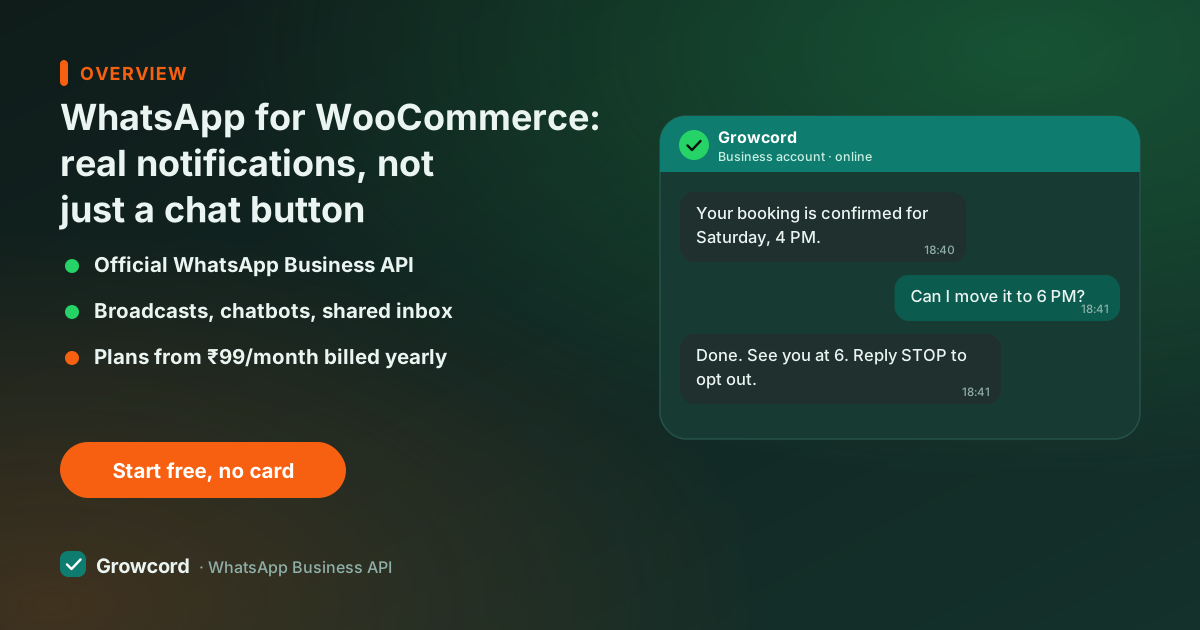
Chat buttons vs a real WooCommerce WhatsApp integration
Search "WooCommerce WhatsApp plugin" and most of what you'll find is click-to-chat buttons, a floating icon that opens a chat when the visitor taps it. Useful, but passive: it only works while the customer is on your site, and it sends nothing on its own.
A real integration is the opposite direction: your store initiates. When WooCommerce records an order, a confirmation goes to the customer's WhatsApp. When the order status flips to shipped, a tracking message follows.
When a checkout is abandoned, a recovery reminder goes out an hour later, while the customer is somewhere else entirely. That requires the official WhatsApp Business API and approved message templates, which is what Growcord provides; the WordPress side is just the event source.
The difference matters most for the money messages. A chat button never recovered a cart or confirmed a COD order. Store-initiated messages do both, every day, without anyone touching WordPress admin.
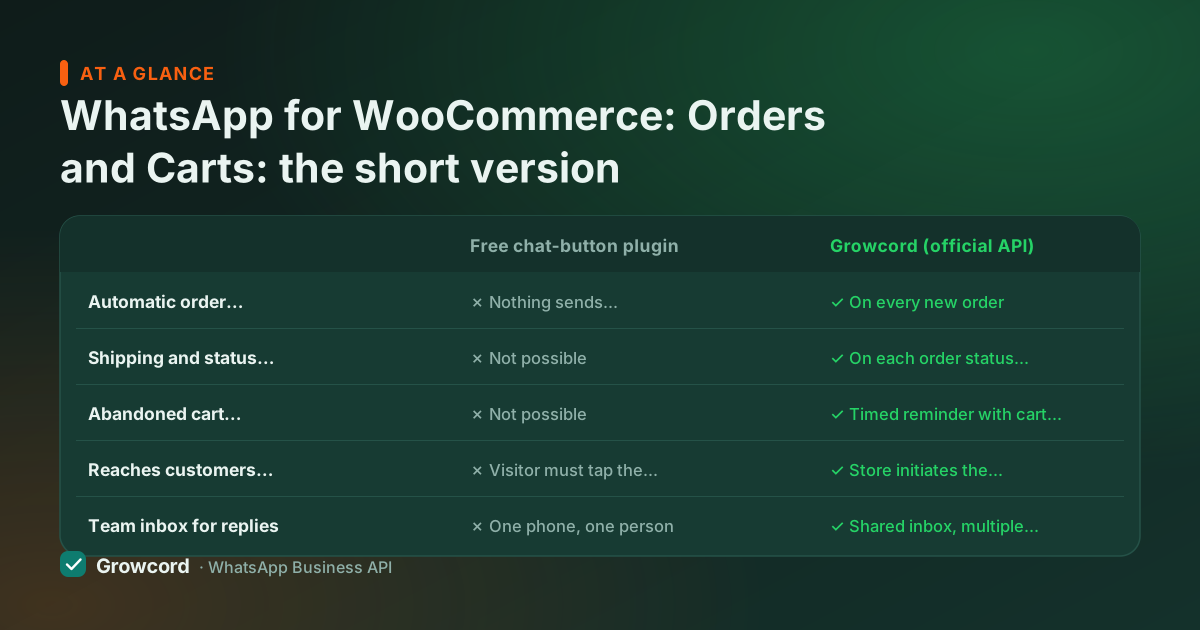
Click-to-chat plugin vs official API integration
| Free chat-button plugin | Growcord (official API) | |
|---|---|---|
Automatic order confirmations | ✗ Nothing sends automatically | ✓ On every new order |
Shipping and status updates | ✗ Not possible | ✓ On each order status change |
Abandoned cart recovery | ✗ Not possible | ✓ Timed reminder with cart link |
Reaches customers off-site | ✗ Visitor must tap the button | ✓ Store initiates the message |
Team inbox for replies | ✗ One phone, one person | ✓ Shared inbox, multiple agents |
Broadcast campaigns | ✗ Not possible | ✓ Segmented, scheduled |
Cost | Free | From ₹99/mo billed yearly + Meta conversation fees |
Typical free chat-button plugin behaviour vs a WooCommerce integration on the official WhatsApp Business API, as implemented in Growcord.
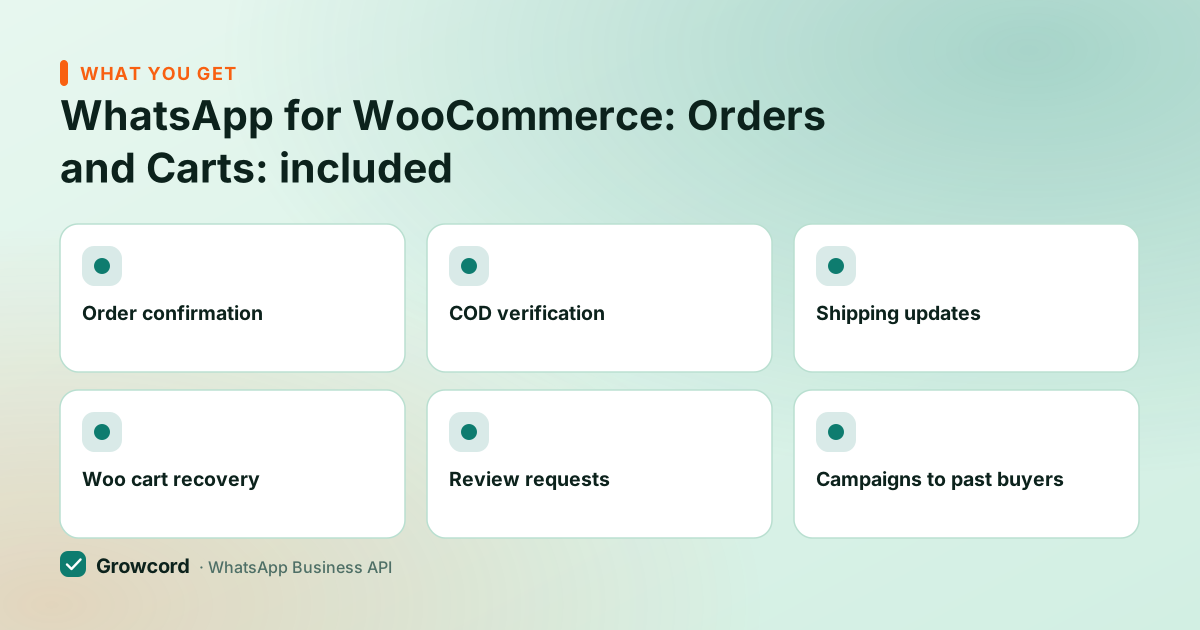
WooCommerce store notifications worth switching on
Order confirmation
The moment WooCommerce records an order, the customer gets it in writing on WhatsApp, items, amount, order number.
COD verification
Cash-on-delivery orders wait for a one-tap Confirm before dispatch, cutting fake orders and RTO courier losses.
Shipping updates
Status changes to shipped or completed trigger tracking messages automatically, no more where-is-my-order emails.
Woo cart recovery
Abandoned checkouts get a reminder with the saved cart and a link back to checkout, timed the way you choose.
Review requests
Days after an order completes, an automatic ask for a product or Google review while the purchase is fresh.
Campaigns to past buyers
Your WooCommerce customers become taggable contacts, broadcast a launch or festival offer to the segment it fits.
The templates a Woo store actually sends
Order confirmation. "Namaste Kavita! Your order #1093 at Desi Threads is confirmed, 1 handloom cotton saree, ₹2,150, cash on delivery. We'll message you when it ships. Reply here anytime with questions."
Cart recovery. "Hi Rohit, your cart at TrailGear India is saved, the 40L rucksack (₹3,299) is still available. Checkout takes under a minute if you'd like to finish. Reply STOP to opt out." Button: Resume checkout.
Shipping update. "Your Desi Threads order #1093 is on its way, Kavita, shipped via India Post, tracking below. Expected in 4–6 days." Button: Track order.
These are Meta-approved templates with merge fields filled from WooCommerce order data. You adapt the wording in Growcord and submit for approval from the same screen; the template examples guide has more patterns, and order updates fall under Meta's low-priced utility category, details in the conversation pricing guide.
Does it need a developer?
For the standard automations, no. The WooCommerce connection is a guided setup from the Growcord dashboard against your store, and the common events, new order, status change, abandoned cart, map to ready templates. If you've customised WooCommerce heavily (custom order statuses, subscription plugins, wholesale flows), the REST API and webhooks cover the edge cases, and that part is developer territory. Most stores never need it.
Going live from WordPress
Connect a WhatsApp number to Growcord
New or existing number, onboarded to the official Cloud API through guided signup, typically done the same day.
Link your WooCommerce store
Follow the WooCommerce steps in the dashboard to connect your store securely. Orders and status changes start syncing.
Turn on the automations you want
Order confirmation, COD verification, shipping updates, cart recovery, review requests, each with an editable template submitted to Meta in a click.
Handle replies in the shared inbox
Customers reply to real people (or a bot for FAQs). Reports show what sent, what got read, and what it cost in credits.
What it costs a WooCommerce store
Growcord starts at ₹299/month, ₹99/month billed yearly, on Basic with 200 conversations, which fits a store shipping a handful of orders a day. The Commerce plan at ₹1,999/month (₹999/month yearly) carries the full ecommerce automation set including cart recovery and review requests.
Meta's per-conversation fees are billed as credits at Meta's published rate, with nothing added by us, utility conversations (order updates, COD checks) are priced low in India, marketing conversations roughly ₹0.78–0.88. Every plan and add-on is on the pricing page.
Start on the free tier, one number, 50 conversations a month, and let it run on live orders for a week. For a small store that's real order confirmations and a handful of recovered carts before you've paid a rupee. If a paid plan then turns out not to suit you, there's a 7-day unconditional money-back guarantee on the subscription; unused credits stay in your wallet.
Wire up your WooCommerce store this week
Free to start: 1 number, 50 conversations a month. Meta conversation fees apply as you scale.
Start free, no card neededWhy Growcord
What you get here that you don't get elsewhere
Frequently asked questions
How do I send WhatsApp order notifications from WooCommerce?
Connect your store to a WhatsApp Business API platform. In Growcord you link the WooCommerce store from the dashboard, switch on the order-confirmation and status-update automations, and approve the message templates. From then on every new order and status change sends the matching WhatsApp message automatically, no manual work in WordPress.
Is there a free WooCommerce WhatsApp plugin?
There are free plugins, but they are click-to-chat buttons, they open a chat when a visitor taps, and send nothing on their own. Order updates and cart recovery are store-initiated messages, which require the official WhatsApp Business API and Meta-approved templates that no free plugin can provide. Growcord's free tier (1 number, 50 conversations/month) runs real automated notifications at zero platform cost; Meta's conversation fees still apply.
Can WooCommerce recover abandoned carts on WhatsApp?
Yes. When a checkout is abandoned with a phone number captured, Growcord sends a timed reminder carrying the saved cart and a link back to checkout. You set the delay, 30 to 60 minutes works well, and can add one follow-up the next day. Recovery works because the reminder actually gets seen, unlike cart emails.
Do I need the API, or can I use my WhatsApp Business app number?
Automated store notifications need the API. The free Business app can't receive events from WooCommerce or send approved templates at volume. You can move your existing number onto the API. It keeps working for customers, or use a fresh number for the store. The differences are covered in our Business app vs API guide.
Will the integration slow down my WordPress site?
No. The heavy lifting, sending messages, templates, the inbox, runs on Growcord's side, not on your server. WordPress only reports events, which is a lightweight call when an order is created or its status changes. There's no front-end script involved unless you also add a chat button, which is a few KB.
What does a WooCommerce WhatsApp integration cost?
Growcord plans start at ₹299/month (₹99/month billed yearly); the Commerce plan with the complete automation set is ₹1,999/month (₹999 yearly). Meta's conversation fees come on top, order updates fall in the cheap utility category, marketing conversations run roughly ₹0.78–0.88 in India. A free tier with 50 monthly conversations lets you test on live orders first.
Why businesses pick Growcord
Official WhatsApp Business API
Built on Meta's Cloud API, the sanctioned channel, not a modded app. No number-ban roulette.
Indian pricing, GST invoice
Plans from ₹99/month billed yearly. Paid in ₹ via Razorpay, with a proper GST invoice every time.
Free tier, no card needed
1 number and 50 conversations a month to prove it on real customers before paying anything.
Support from New Delhi, in IST
A real team on email and WhatsApp, Monday to Saturday 10:00–19:00 IST, not a ticket void.
Talk to us
Get set up on WhatsApp this week
Tell us what you sell and how many customers you message. We'll reply on WhatsApp with the plan that fits and, if you want it, walk you through the Meta approval step.
- No sales call unless you ask for one
- Answers from the team that builds it, in IST hours
- Free tier available. You can start before you decide
Documentation and official resources
Keep reading
Related guides and comparisons
Last updated: 2026-08-07